Mastering the Mobile App Development Process
Table of Contents
Bringing a mobile app from a simple idea to a successful product is a journey. It’s a process that weaves together strategic planning, user-focused design, smart coding, thorough testing, and a plan for growth after launch. The goal isn't just to build a functional app, but to create something that hits your business goals and genuinely helps your users.
From Great Idea to Winning Strategy
Every app you love and use daily started not with a line of code, but with a rock-solid strategy. This is the phase where you kick the tires on your idea, get to know your market inside and out, and lay down a concrete plan for what comes next. Think of it as creating a business blueprint before you even think about hiring a single developer.
This foundational work is absolutely critical. The mobile app market is a behemoth, projected to hit an incredible $585.70 billion by 2025. On top of that, in-app advertising alone is expected to pull in $381.30 billion. With that much at stake, you can't afford to just wing it; a deliberate, data-driven strategy is your only path forward.
Defining Your Unique Value Proposition
So, what makes your app special? The answer to that is your unique value proposition (UVP). It's the clear, simple promise you make to your users about the problem you solve and why your solution is the best one out there.
To nail your UVP, you need to roll up your sleeves and do some real market research. This isn't just about listing your competitors. It's about digging deeper to understand:
- Real User Needs: What are the actual pain points or desires your target audience is experiencing?
- Competitor Blind Spots: Where are the other apps falling short? Find the gaps your app can fill.
- Market Trajectory: Get a feel for where the industry is heading to make sure your app won't be obsolete in a year.
For instance, maybe you're building a fitness app. Your research might show that existing apps are great for tracking workouts but terrible at creating a sense of community. Your UVP could be: "The only fitness app that finds you a supportive workout partner in your neighborhood."
Key Insight: A powerful strategy isn't about cramming in the most features. It's about laser-focusing on the right features that deliver a unique solution to a specific group of people. This clarity prevents scope creep and keeps everyone on the same page.
Crystallizing Your Minimum Viable Product
Once your UVP is locked in, it's time to define the core features of your Minimum Viable Product (MVP). An MVP isn't a buggy, half-baked version of your app. It’s the most streamlined version that can still deliver on your core promise and solve your user's number one problem.
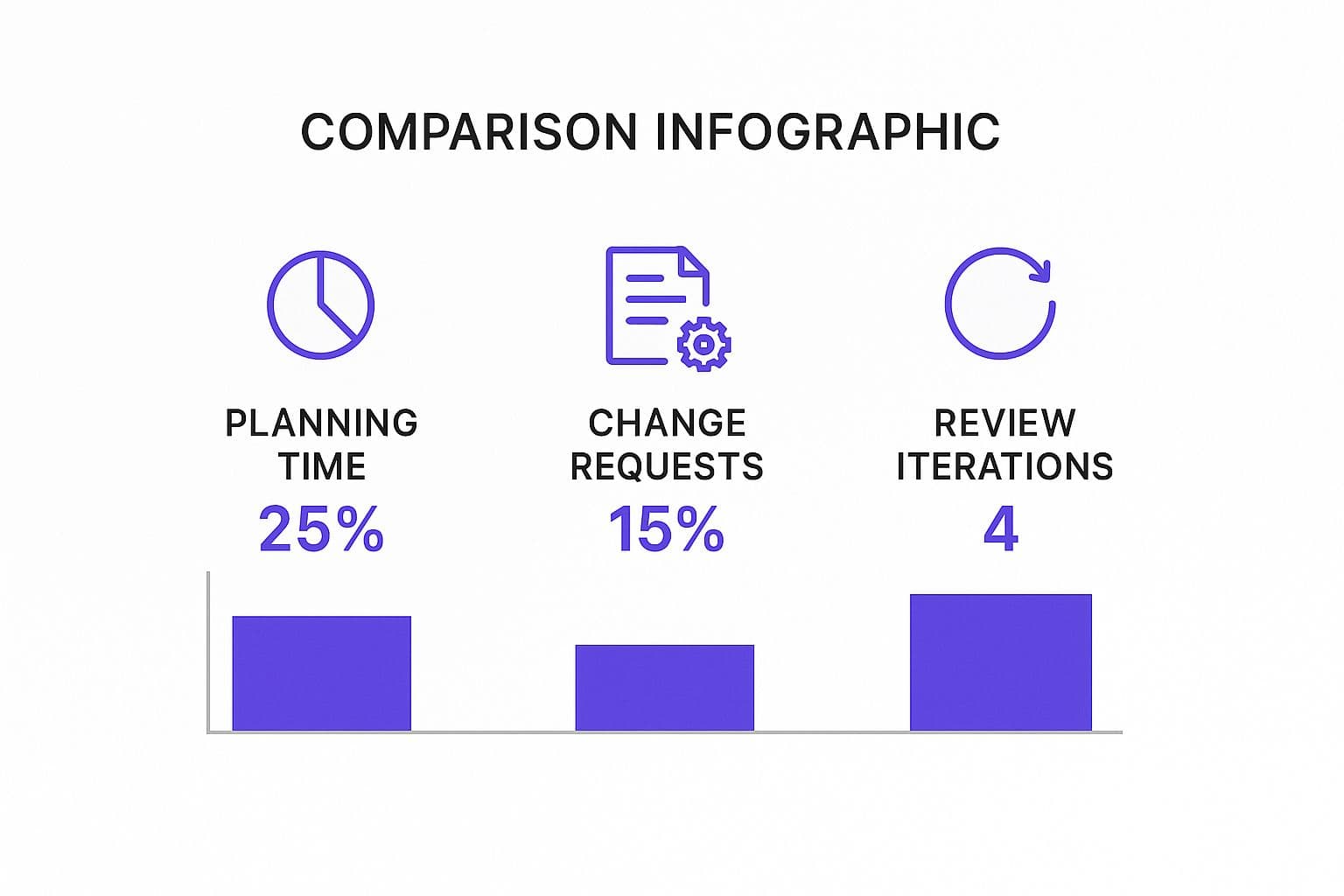
This is where planning pays off big time. The more time you invest upfront in strategic thinking, the less time you'll waste on costly revisions and endless review cycles down the road.
The process starts with a brain dump of every feature you can imagine. Then, you have to get ruthless with prioritization. A great way to do this is to sort features into three buckets: "must-have," "should-have," and "nice-to-have." Your MVP should only contain the "must-haves." Learning how to define project scope is a non-negotiable skill here; it's what keeps your MVP lean and on schedule.
Choosing Your Platform and Monetization
The last pieces of your strategic puzzle are your platform and your monetization model. These decisions are intertwined and will shape your budget, timeline, and who you can reach.
Choosing between iOS, Android, or a cross-platform approach is a major decision point. Each has its pros and cons, which can be a lot to weigh.
Key Platform Considerations: iOS vs. Android
| Factor | iOS (Apple App Store) | Android (Google Play Store) |
|---|---|---|
| Market Share | Smaller global market share but dominant in key markets like the US. | Commands the largest global market share, with huge penetration in emerging markets. |
| Revenue Potential | Historically, iOS users spend more money on apps and in-app purchases. | Larger user base offers massive potential for ad-based revenue models. |
| Development | Generally faster and less expensive due to fewer devices and screen sizes to support. | More complex and time-consuming due to the wide variety of devices (fragmentation). |
| Audience | Tends to attract a more affluent, higher-spending demographic. | A broader, more diverse user base across different economic segments. |
While tools like React Native or Flutter offer a cross-platform shortcut that can save money, they sometimes come with performance limitations. Carefully consider your target audience and business goals before committing.
At the same time, you need a plan to make money that makes sense for your app and your users. The most common models are:
- In-App Purchases (IAP): Perfect for unlocking premium features, content, or digital goods.
- Subscriptions: The best fit for apps that provide ongoing value, like content or services.
- Advertising: A solid choice for free apps that can attract a high volume of users.
With this strategic foundation firmly in place, you’re ready for the next phase. Every decision from here on out will be guided by this initial work, ensuring you're always moving in the right direction.
Designing an Experience Users Will Love

Let's be blunt: a powerful app is useless if people hate using it. This is where user experience (UX) and user interface (UI) design become your most valuable players. An app can have brilliant code under the hood, but a clunky, confusing, or just plain ugly interface will send users running for the delete button.
The real goal here is to craft an experience that feels second nature—effortless, engaging, and intuitive. Great design isn't just about making things look pretty; it's about empathy. It's about getting inside your user's head, understanding what they need to do, and then paving the clearest, most direct path for them to get there.
Architecting the Flow with Wireframes
Before you start painting, you need a blueprint. In the world of app design, that blueprint is called a wireframe. These are simple, black-and-white layouts that focus purely on structure, information hierarchy, and user flow, intentionally stripping away all the distracting colors and graphics.
Think of wireframes as the architectural drawings for your digital house. They force you to answer the tough, foundational questions right up front:
- Where does tapping this button actually take the user?
- How do they get from the home screen back to their account settings?
- What is the absolute most important piece of information on this screen?
This low-fidelity approach lets you map out the entire app and test the logic of the user journey quickly and cheaply. It’s far easier to move a few boxes around on a diagram than it is to rewrite code. Catching a major flaw in the user flow at this stage can save you hundreds of hours—and thousands of dollars—down the line.
Key Takeaway: Never skip wireframing to save time. It's your single best defense against scope creep and expensive redesigns later. A solid wireframe forces clarity and gets everyone on the same page about the app's fundamental structure before you get too far.
Crafting the Visual Identity with Mockups
Once the structural skeleton is in place, it’s time to give your app some skin. This is where high-fidelity mockups come in, and where the UI side of the UI/UX coin really shines. Mockups are static, full-color designs that show exactly what the finished app will look like.
This is where your brand's personality comes to life. You’ll be making key decisions about the app's visual identity, including:
- Color Palette: Choosing colors that not only match your brand but also evoke the right emotions.
- Typography: Selecting fonts that are crisp, legible, and match the app’s overall tone.
- Iconography: Designing custom icons that are intuitive and instantly recognizable.
- Imagery: Setting the style for all photos, illustrations, and other visual assets.
The mockup is often the first time a stakeholder sees a realistic vision of the final product. It's a fantastic tool for getting buy-in and making sure everyone is aligned on the visual direction before you move into the costly development phase.
Simulating the Experience with Prototypes
Here’s where the magic really happens. An interactive prototype takes your static mockups and stitches them together, creating a clickable, tappable simulation of your app. It isn't a coded, functional app yet, but it feels like one to anyone using it.
This step is a total game-changer. For the first time, you can:
- Truly Simulate the Journey: You can physically tap through the app, experiencing the flow from screen to screen, feeling out the transitions and interactions.
- Gather Priceless Feedback: Hand the prototype to actual users. Watch where they hesitate, what confuses them, and what delights them. This raw, unfiltered feedback is pure gold.
- Spot Design Flaws Instantly: An interaction that seemed logical in a static mockup might feel clunky or awkward in practice. A prototype exposes these usability issues before a single line of code gets written.
Prototyping is your ultimate risk-reduction tool. It lets you validate your design with real human behavior, ensuring the app you end up building isn't just beautiful, but genuinely easy and enjoyable to use. It's the critical bridge between the design vision and the development reality.
Bringing Your App to Life with Code

Alright, this is where the magic really happens. All the strategy sessions, wireframes, and beautiful mockups have led to this moment. Now, it's time for the developers to roll up their sleeves and translate that blueprint into a living, breathing application. This is often seen as the most intimidating part of the mobile app development process, but it’s much more manageable when you understand what’s happening under the hood.
I find it helpful to think of it like building a restaurant. The front-end is the dining room—it’s everything the customer sees and interacts with. The back-end is the kitchen—the engine room where all the work gets done behind the scenes. And the waiters? They’re your APIs, shuttling orders and information back and forth.
The Engine Room: Building the Back-End
The back-end is the invisible powerhouse of your app. It’s the server-side infrastructure that does all the heavy lifting, completely out of the user's sight. This is where your app’s core logic lives and breathes.
Here’s what the back-end is responsible for:
- Data Storage and Management: This is where user profiles, preferences, posts, and every other piece of vital information is securely stored and managed in a database.
- Business Logic: It executes the core rules that make your app function. Think of it as the brain processing a payment or matching users in a dating app.
- Server Communication: It’s constantly listening for requests from the user's device, processing them, and sending the right data back.
- Security: This is non-negotiable. The back-end handles authentication and authorization to protect user data and control who can access what.
For example, in a ride-sharing app, the back-end is busy calculating fares, tracking driver locations in real-time, and processing payments. Without that robust kitchen, the app would just be a static map.
The First Impression: Crafting the Front-End
The front-end, or client-side, is everything your user actually sees, touches, and experiences. This is where your UI/UX designs are meticulously translated into a responsive and engaging interface. The goal here is simple: make the experience feel effortless.
Front-end developers take those static design files and breathe life into them. They make sure buttons respond instantly, animations are buttery smooth, and data fetched from the back-end looks great on screen. They’re obsessed with performance, ensuring the app feels snappy, even on older phones or a spotty Wi-Fi connection.
A huge decision here is the tech stack. Will you build native apps using Swift for iOS and Kotlin for Android? This route gives you the best performance and access to all the device's hardware. Or will you go with a cross-platform framework like React Native or Flutter? This approach lets you write code once for both platforms, which can be a massive time and money saver.
Expert Tip: My advice? Embrace an agile development methodology. Instead of a "big bang" launch where you try to build everything at once, break the work into small, manageable "sprints." This creates a rhythm of building, testing, and getting feedback, which leads to a much more stable and user-approved final product.
Start with a Minimum Viable Product (MVP)
One of the biggest mistakes I see teams make is trying to cram every conceivable feature into the first version. The smarter, more strategic approach is to focus on a Minimum Viable Product (MVP).
An MVP isn't a watered-down app; it's the most concentrated version. It contains only the core features necessary to solve your user's number one problem. This lets you get to market fast, see if your idea has legs, and collect real-world data to guide what you build next. Knowing the difference between pre-launch products is vital, so we created a guide that breaks down an MVP vs a prototype. It’s a distinction that can save you a lot of headaches and wasted resources.
The Unsung Hero: The API
The Application Programming Interface (API) is the critical link holding everything together. It's a set of rules and protocols that lets the front-end and back-end talk to each other securely and efficiently.
When you tap "Log In" (front-end), the API carries your credentials to the server (back-end). The server verifies them and uses the API to send an "access granted" message back to your device. This constant, structured communication is what makes a modern app feel so dynamic. A well-designed API is the fast, reliable, and secure backbone of your entire application.
The opportunity in the mobile space is undeniable. Forecasts predict mobile apps will generate over $522 billion in revenue in 2025. With 3.55 million apps on the Google Play Store and 1.64 million on the Apple App Store, it's a crowded field. But user habits show deep engagement—a staggering 49% of users open an app more than 11 times a day, proving just how integrated they are in our lives.
Ensuring a Flawless Launch Through Rigorous Testing

After pouring all that energy into planning, design, and coding, it's tempting to sprint to the finish line. But hold on. This next phase is what truly separates the professional, reliable apps from the buggy ones that crash and burn on launch day.
Think of rigorous testing and Quality Assurance (QA) as your app's ultimate trial by fire. It's not just a final check; it's a deep-dive process to ensure everything is stable, secure, and ready for the real world. A single, nasty bug can completely torpedo your launch, unleashing a wave of one-star reviews you may never recover from. This isn’t just about preventing crashes—it's about protecting your brand's reputation right out of the gate.
The Different Flavors of Testing
"Testing" isn't a single action. It's a collection of specialized activities, each designed to poke and prod your app from a different angle. A solid QA strategy blends several of these to catch issues before your users do.
- Functional Testing: This is the most basic, yet essential, type. Does every button do what it's supposed to? We methodically click through every screen and user flow, confirming the app behaves exactly as designed. No surprises.
- Performance Testing: Here’s where we push the app to its breaking point. How does it act on a spotty 3G connection? What happens when thousands of people log in at once? Performance testing measures speed, responsiveness, and stability under pressure to prevent frustrating slowdowns.
- Compatibility Testing: The mobile world is a chaotic mix of devices. Your app has to perform perfectly on a massive range of screen sizes, hardware, and OS versions. This testing ensures a smooth experience for everyone, not just those with the latest iPhone.
The sheer scale of the mobile market makes this phase non-negotiable. With worldwide app downloads projected to hit an incredible 299 billion in 2025, the demand for robust apps is higher than ever. When you realize the average person uses about 10 apps daily, you see how quickly they'll ditch yours if it’s buggy or slow.
Protecting Your Users and Your Business
Beyond making sure the app works, a couple of other testing areas are absolutely critical for building trust and ensuring your app has a future.
Security Testing This might just be the most important part of the whole QA process. Here, testers essentially become ethical hackers, actively trying to break into the app to find vulnerabilities. They're looking for insecure data storage, weak login protocols, or any other exploit that could expose user data. A security breach isn't a bug; it's a potential business-ending catastrophe.
A Word of Advice: Treat security testing as a continuous process, not a one-and-done task. New threats pop up all the time, and your app’s defenses have to keep pace. Protecting user data is the bedrock of trust.
Usability Testing Even with great design prototypes, watching real people use a near-final product gives you a whole new level of insight. Usability testing confirms that the app isn't just functional, but actually intuitive and easy to use. You’ll be surprised by what you learn; a workflow that seemed perfectly logical on a whiteboard can be utterly confusing in practice.
Beta Testing and the Final Polish
After all the internal poking and prodding comes the beta test. This is your moment of truth. You release a pre-launch version of the app to a hand-picked group of real-world users, and their feedback is pure gold.
They’ll use your app in ways you never imagined, on networks you couldn't simulate, and on devices you don't own. This feedback loop is your final, best opportunity to hunt down those last few obscure bugs. More importantly, it gives you honest, qualitative feedback on the entire experience.
Acting on this feedback is what adds that final layer of polish that makes an app feel truly great. Once the app is stable and refined, it's finally ready for deployment—a crucial step in its own right. To make sure that last step goes off without a hitch, it's worth reviewing some best practices for software deployment.
Getting Your App Live and Growing Beyond the Launch
So, you’ve built your app, and it’s finally time for the big reveal. Getting approved by the Apple App Store or Google Play Store might feel like you've crossed the finish line. But from my experience, that’s just the starting pistol firing. Deployment is a huge milestone, absolutely. Yet, the work of building a successful product starts the moment your app goes live.
This is where you stop just being a developer and start becoming a business owner.
A great launch doesn’t just happen—it’s planned meticulously. Your app's store listing is its digital storefront, and you only get one chance to make a first impression. Rushing this part is like building a stunning retail store but forgetting to put up a sign or even dress the windows.
Acing Your App Store Submission
Before you can dream of user growth, you have to get through the gatekeepers. Both Apple and Google have their own unique set of guidelines and best practices, but a few things are universally critical for a strong debut.
This all comes down to App Store Optimization (ASO), which is basically SEO for your app. It’s how you get found in a sea of millions of competitors. Your focus should be on:
- Powerful Metadata: This is your app's title, subtitle, and description. The title needs to be catchy and memorable, while the description has to nail your value proposition. Be clear about what problems you solve and what makes you different.
- Striking Visuals: Your screenshots and preview video are your best sales pitch. They need to show the app in action, highlighting the coolest features and proving how easy it is to use. Don't just show static screens; tell a story.
- A Killer App Icon: This little square is your app's face to the world. It must be instantly recognizable, clean, and look sharp on any device's home screen.
My Two Cents: Don't treat your app store listing as a "set it and forget it" task. ASO is a living process. You should be constantly testing new keywords, refreshing your screenshots to show off new features, and tweaking your description based on user feedback. This is how you continuously improve your visibility and convince more people to hit "Download."
The Real Work Kicks Off Post-Launch
Once your app is out in the wild, the floodgates of feedback open up. Real people will start using it, loving it, and—yes—finding things to complain about. This isn't the time to kick back and relax. It's time to lean in, listen intently, and learn from every piece of feedback.
Your ability to monitor what’s happening and act on what you learn is what will separate you from the countless apps that launch and fizzle out.
The post-launch phase is all about data. You're shifting from building features based on what you think users want to making improvements based on what they actually do. This cycle of measure, learn, and iterate is the true engine of sustainable growth.
Keeping a Pulse on Metrics and Feedback
To truly understand how your app is performing, you need to track a few key metrics. You can’t fly blind. Tools like Google Analytics for Firebase or Mixpanel are non-negotiable here; they give you a clear dashboard of your app’s health and user engagement.
Here’s what I always keep a close eye on:
| Metric Category | Key Metrics to Monitor | Why It Matters |
|---|---|---|
| Acquisition | Download Velocity, Installs by Source | Shows how fast you're getting new users and which marketing efforts are actually working. |
| Engagement | Daily Active Users (DAU), Session Length | Tells you if people are coming back and if they're genuinely finding your app useful. |
| Performance | Crash Rates, Load Times | A buggy, slow app is the fastest way to get uninstalled. This directly impacts user happiness. |
| Retention | User Retention Rate, Churn Rate | Measures how many users stick around. This is the ultimate sign of a product with long-term value. |
But numbers only tell half the story. You need qualitative feedback—the human side of the data. You can find this by actively listening to:
- App Store Reviews: Both the glowing and the scathing reviews are pure gold. They tell you what to keep and what to fix, fast.
- Support Tickets: Direct emails and support chats reveal the nitty-gritty frustrations your users are facing.
- Social Media Chatter: Keep an ear to the ground to hear what people are saying about you on platforms like Twitter or Reddit.
This steady stream of information—hard data and user voices—is what should fuel your product roadmap. It tells you which bugs are deal-breakers, which feature requests keep popping up, and how you can make the entire experience better. This loop of launching, listening, and updating isn't just a phase; it's the very heart of a successful mobile app journey.
Got Questions About Building an App? Let's Talk.
If you're diving into the world of app development for the first time, you’ve probably got a million questions. That's completely normal. Getting a handle on the big picture—like timelines, costs, and the tech involved—is the best first step you can take. It helps you set realistic expectations before you write a single line of code.
How Long Does It Really Take to Build an App?
This is usually the first thing everyone asks, and the honest answer is: it depends entirely on what you're building.
For a focused Minimum Viable Product (MVP) that nails the core functionality, you're likely looking at a 3-6 month timeframe. But if your vision includes custom animations, complex backend systems, or cutting-edge features, that timeline can easily extend to 9-12 months or more. Think of it like building a house—a simple cabin takes far less time than a custom-designed mansion with all the bells and whistles.
Your timeline is a direct result of the work involved at every stage, from initial strategy and design all the way through coding and testing. The size and skill of your development team also make a huge difference in how fast you can hit those milestones.
What Drives the Cost of App Development?
Just like the timeline, your budget will scale with your app's complexity. The number one thing that impacts cost is feature complexity.
It's one thing to build standard, off-the-shelf features. It’s a whole different ballgame when you need things like real-time data syncing, secure payment processing, or sophisticated third-party API integrations. Features like augmented reality (AR) are even more demanding. These require seasoned developers with specialized skills, and their time is the biggest line item on your budget.
A few other major cost drivers to keep in mind:
- Platform Choice: Do you need an app for both iPhones and Android devices? Building two separate, native apps is the most expensive route. A single cross-platform app can be much more budget-friendly.
- Team Rates: A developer's hourly rate can swing wildly depending on their location, years of experience, and area of expertise.
My Advice: To keep your initial costs in check, be ruthless about prioritizing features. Seriously. Figure out the absolute must-haves that solve your user's core problem and focus only on those for your first launch. You can always roll out the "nice-to-haves" in future updates, guided by what your actual users are asking for.
Choosing Your Path: Native, Web, or Hybrid?
This is a huge decision that really boils down to your specific needs for performance, budget, and the kind of experience you want to give your users. There isn't a single "best" option—only the right one for your project.
Here’s a quick look at your choices:
- Native Apps: Built specifically for one operating system (iOS or Android) using languages like Swift or Kotlin. This approach gives you the best possible performance, full access to the phone's hardware (camera, GPS, etc.), and the smoothest user experience. The downside? If you need to be on both platforms, it's the most expensive and time-consuming option.
- Web Apps: These are basically websites designed to look and feel like an app, which you access through a mobile browser. They work on any platform and are cheaper to build, but they have very limited access to device features and often won't work offline.
- Hybrid Apps: This is the middle ground. Using frameworks like React Native or Flutter, you can build from a single codebase that runs on both iOS and Android. This drastically cuts down on cost and development time. The trade-off can sometimes be a slight performance hit compared to a true native app, but for most projects, it's a very smart and efficient way to go.
Ready to stop wondering and start building? Iglu Digital specializes in turning your app idea into a launch-ready MVP on a fixed price, agreed up front. We help you navigate every stage of the mobile app development process, ensuring you launch a high-quality product quickly and efficiently. Learn how we can build your MVP.