Master Software Development for Beginners Today
Table of Contents
So, you’re thinking about getting into software development. That's fantastic. At its core, it’s all about using code to solve problems and create genuinely useful things. It's a journey, for sure, one that takes you from a simple idea to a real, working application. It might seem like a huge mountain to climb, but it’s more accessible now than ever. Let's walk through how you can get started.
Starting Your Software Development Journey
Welcome to the club. It’s easy to feel overwhelmed by all the complex code and technical jargon you see online. But here’s a little secret: development is a fundamentally creative process. You’re not just typing commands for a machine; you’re designing solutions, building tools, and bringing your own concepts to life.
This path is about much more than just learning syntax and algorithms. It’s about adopting a whole new way of thinking.
Think Like a Problem Solver
From my experience, the best developers I know aren't just great coders—they're exceptional problem solvers. This is the real skill. It means learning how to look at a huge, intimidating challenge and break it down into smaller, more manageable pieces. Before you even think about writing a line of code, you need to deeply understand the "what" and the "why" of your project.
Let's take a simple idea, like a weather app. A beginner might just think, "I'll build a weather app." An aspiring developer, on the other hand, starts asking questions:
- Where is the weather data actually coming from? An API?
- What specific information should I show? Just the temperature, or humidity and wind speed too?
- How will a user tell the app their location? GPS? A search bar?
This kind of analytical thinking turns a vague goal into a clear, actionable checklist. Honestly, it’s the most important skill you can develop.
Why Now Is the Perfect Time to Start
You couldn't have picked a better time to get curious about this field. The demand for skilled developers is absolutely soaring as businesses of every kind scramble to go digital.
Software development isn't just another career path; it's becoming a foundational skill for the modern world. Learning to code opens up doors to starting your own business, expressing yourself creatively, or landing a high-demand job in virtually any industry.
The industry isn't just growing; it's booming financially. The global application development software market hit a staggering $257.94 billion in 2024 and shows no signs of slowing down. This kind of explosive growth creates a massive opportunity for new talent to jump in.
The key is to set realistic goals. You're not going to build the next Instagram on your first try, and that's perfectly fine. Your initial goal is to master the core loop: plan, build, test, and iterate. With every small project you finish, you'll build both your skills and your confidence, putting you on the right path to eventually build truly amazing things.
Picking Your First Language and Essential Tools
So, you're ready to build software. The first massive question that trips everyone up is, "Which programming language should I learn?" The fear of picking the "wrong" one can be paralyzing, but let me put your mind at ease: there is no single "perfect" language. The best one for you is the one that gets you excited about building things.
Your personal goals are the best compass here. Do you dream of creating interactive websites that people can click around and use? Then JavaScript is going to be your best friend. Or maybe you're fascinated by data, automation, and want a language famous for being clean and readable? In that case, Python is an amazing starting point.
This isn't just about writing code in a text file. You'll be working within what we call a "development environment," which is just a fancy term for the collection of tools that help you build, test, and manage your projects.
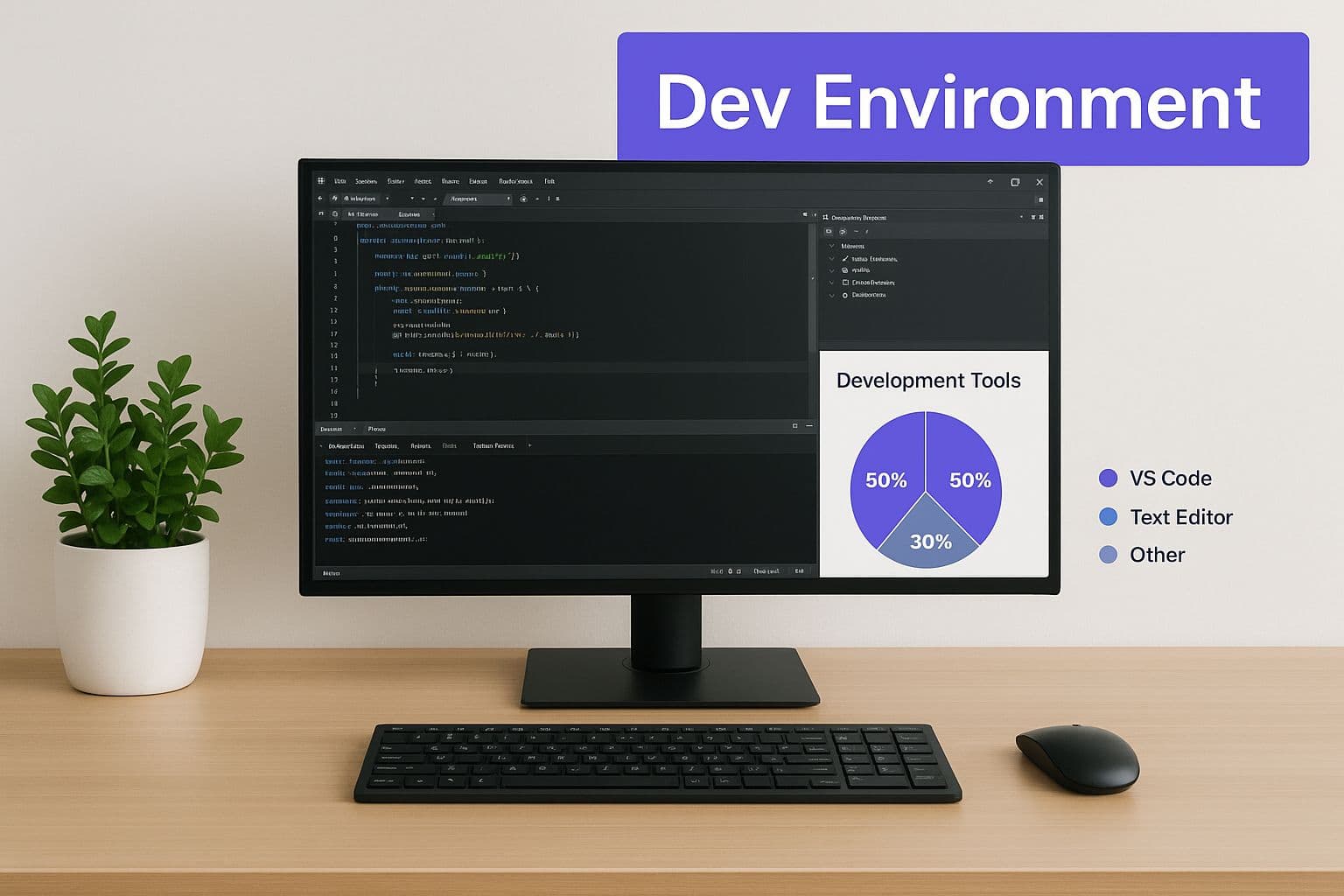
As you can see, it's really a combination of a few key pieces: a code editor to write in, version control to save your progress, and a terminal to run commands. They all work together.
How to Actually Choose Your Language
Let's cut through the noise. For most beginners, the choice boils down to two fantastic options. They're popular for good reason: they have massive, welcoming communities and an endless supply of tutorials, guides, and forums to help you when you get stuck.
- JavaScript: This is the undisputed champion of web development. If your goal involves building anything that runs in a web browser, you simply must learn JavaScript. The best part for beginners is the instant feedback—you write some code, refresh your browser, and see your creation come to life. It's incredibly motivating.
- Python: Often praised for its simple, almost English-like syntax, Python is a true jack-of-all-trades. It's a powerhouse in fields like data science, AI, and machine learning, but it's also fantastic for building web applications (using frameworks like Django). That gentle learning curve makes it a top pick for people writing their very first line of code.
To give you a clearer picture, I've put together a table comparing some popular beginner languages. This should help you see where each one shines.
Beginner-Friendly Programming Languages Comparison
| Language | Primary Use | Beginner Friendliness | Example Project |
|---|---|---|---|
| JavaScript | Web Development (front-end & back-end) | High | An interactive to-do list app in your browser. |
| Python | Data Science, AI, Web Back-end | Very High | A simple script to scrape headlines from a news website. |
| Java | Enterprise Applications, Android Apps | Medium | A basic calculator app for an Android phone. |
| C# | Game Development (with Unity), Windows Apps | Medium | A simple 2D platformer game. |
Ultimately, the goal is to find a language that fits the kind of projects you find interesting. That's what will keep you motivated through the tough learning spots.
Your first language is really just a vehicle for learning how to think like a programmer. Concepts like variables, loops, and functions are universal. The real secret is to just pick one, commit to it, and start building—no matter how small—as soon as you can.
It's also worth noting that the way we build software is changing. AI coding assistants are now used by an incredible 92% of US developers. At the same time, low-code platforms are on the rise, with some experts projecting they'll be used for 70% of new business applications by 2025. These software development trends are making it easier than ever to get started.
Your Must-Have Starter Toolkit
Okay, once you have a language in mind, you need a few tools to actually write, manage, and run your code. This is your development environment. Don't get overwhelmed by all the options out there—you really only need two things to get going.
A Solid Code Editor
This is where you'll spend most of your time writing code. Think of it like a word processor, but supercharged with features designed specifically for programming.
My go-to recommendation for everyone starting out is Visual Studio Code (VS Code). It’s completely free, backed by Microsoft and a massive open-source community, and has a library of thousands of extensions. These add-ons can do everything from auto-completing your code to highlighting potential errors before you even run your program.
Version Control with Git
Imagine having a "save" button for your entire project that lets you create snapshots in time. If you mess something up badly, you can just rewind to the last working version. That's exactly what Git does.
Git is the industry-standard system for tracking changes in your code, and learning the basics is a non-negotiable skill for any modern developer. When you pair it with a service like GitHub, it also becomes your online portfolio—a place to store your projects and showcase your work to collaborators or potential employers.
How to Plan Your First Real Project
Having a great idea is the easy part. The real work—and where most beginner projects fall apart—is in the planning. It's so tempting to get excited and dive straight into your code editor, but I've learned the hard way that a little bit of planning up front saves you from a world of headaches later.
This isn’t about writing a massive, formal document. Forget that. Your goal is simply to define what "finished" actually means for this project. A few notes on a napkin or a quick sketch can be more valuable than a fifty-page specification nobody reads.
From Vague Idea to Concrete Features
Let's get practical. Say you want to build a simple calculator app. That's a great starting point, but "build a calculator" isn't a task—it's a wish. To make it real, you need to break it down into a list of core features. What, specifically, will it do?
Instead of getting overwhelmed by the big idea, list the absolute must-haves for your first version. A simple feature list might look something like this:
- Display numbers when the user presses buttons.
- Handle basic math: addition, subtraction, multiplication, and division.
- Show the final answer.
- Include a "Clear" button to start over.
Suddenly, you don't have one big, scary project anymore. You have four small, manageable tasks. This is how you define a realistic project scope and avoid what we call "feature creep"—that dreaded habit of adding more and more "cool" ideas until the project becomes a bloated, unfinished mess.
Sketching a Simple User Flow
With your features listed, the next step is to think about how someone will actually interact with your app. This is called a user flow, and it’s just a map of their journey from start to finish.
For our calculator, the flow is pretty straightforward:
- A person opens the app and sees the interface.
- They press a number, like "7".
- Then, an operator, like "+".
- They press another number, say "5".
- Finally, they hit "=" to get the result: "12".
Drawing this out, even with simple boxes and arrows, helps you see the project from the user's perspective. It forces you to connect the dots between your features and spot potential hiccups before you’ve written a single line of code.
This whole approach—starting with a core, functional version—is the heart of building a Minimum Viable Product (MVP). You build just enough to make the app useful, get it into people's hands, and then use their feedback to decide what comes next. If you want to dive deeper into this powerful concept, check out our guide on what a minimum viable product is.
A key takeaway: Planning isn't about killing your creativity. It's about focusing it. When you set clear boundaries, you create a straightforward path to follow, which makes the actual coding process feel less chaotic and much more rewarding.
Ultimately, this planning stage is the foundation you'll build everything else on. It turns a fuzzy idea into a clear, actionable roadmap, giving you the direction you need to create something you can be genuinely proud of.
Writing Your First Lines of Code
Alright, you've got your plan locked in. Now for the fun part—bringing your idea to life. This is where your sketches, notes, and feature lists start transforming into actual, working software. Your keyboard is about to become your best friend.
But this stage is about so much more than just making something work. It's your first real opportunity to build the habits that will stick with you for your entire career. Let’s dive into one of the most important lessons you'll ever learn.
First, Write Code for People
This might sound backward, but the first person you're writing code for isn't the computer—it's another human. That human could be a future teammate, a collaborator, or even you, six months from now, staring at the screen wondering what on earth you were thinking.
Clean, readable code is a trademark of a professional. Think of it like good handwriting. If it's a messy scrawl, no one will want to touch it, let alone try to understand it.
- Be Descriptive with Names: Instead of calling a variable x, name it userFullName or finalPrice. Clarity is everything.
- Keep Your Functions Tiny: A single function should do one thing and do it exceptionally well. A function called calculateTax shouldn't also be trying to update the user's shopping cart display.
- Comment Your "Why," Not Your "What": Your code should be clear enough to explain what it does on its own. Use comments to explain why you chose a specific solution, especially if it's a bit unusual or complex.
I’ll never forget a project from my early days where I wrote this incredibly "clever" one-liner to solve a tricky problem. I was so proud. Fast forward three months, a bug popped up in that exact spot, and I burned two full hours just trying to decipher my own logic. That day, I learned a lesson that has stuck with me ever since: readability always, always beats cleverness.
Building Our Calculator App
Let's bring this back to our calculator project. Our plan calls for functions to handle addition, subtraction, multiplication, and division. If we were using JavaScript, a simple function for addition would look something like this:
// Adds two numbers together and returns the sum function add(firstNumber, secondNumber) { return firstNumber + secondNumber; } See how clear everything is? The function name is obvious, the parameters describe what they hold, and a simple comment gets straight to the point. You'd follow this exact pattern for the other operations, creating small, focused functions for each one. This makes your code so much easier to test and fix later because every piece stands on its own.
Learning to Love the Bug Hunt
Here's a hard truth every single developer learns: your code will have bugs. This isn't a sign you've failed; it's just a normal, everyday part of making software. Debugging is simply the process of hunting down and fixing those errors. Getting good at it is what separates the pros from the people who just get frustrated.
Don't just start changing things randomly and praying for the best. Be a detective.
- Pinpoint the Problem: First, figure out the exact steps you need to take to make the bug appear every single time.
- Isolate the Scene: Narrow down where the error is coming from. Is it happening inside the add function? Or is the problem when you try to display the final result on the screen?
- Form a Hypothesis: Make an educated guess. "I bet the secondNumber is being passed as text instead of a number."
- Test and Verify: Use console.log() or a debugger tool to inspect your variables and see if your guess was right. Once you confirm the cause, you can apply the fix.
This methodical approach turns debugging from a hair-pulling nightmare into a puzzle you can actually solve. The goal isn't just to build features; it's to build features that work reliably. This mindset is at the heart of building any great product. If you want to explore this idea of creating a solid first version, our team put together a fantastic guide on how to build an MVP.
Getting Your Project Ready for the World
You’ve done the hard part—you turned an idea into actual, working code. That's a massive achievement. But before you pop the champagne, there's a crucial final stretch: making sure your project is solid and then, of course, sharing it with others.
This phase is all about testing and refinement. It’s where you transform something that mostly works into something you can be genuinely proud of. Don't see it as a chore. Think of it as the final polish that makes your work shine.
Kicking the Tires: How to Test Your Code
At its core, testing is just making sure your app does what you designed it to do. If you built a calculator, does the addition button actually add? Does the clear button really wipe the slate clean?
For your first few projects, manual testing is the way to go. It's as straightforward as it sounds: you act like a user and try to break your own application.
- Follow the "Happy Path": This is the ideal scenario where everything goes right. For a calculator, it’s typing 2 + 2 = and seeing 4 appear. You need to confirm the basic functions work perfectly.
- Explore the Edge Cases: Now, what happens when things get weird? What if a user tries to divide by zero? Or mashes the = button before entering a second number? Catching these quirks now saves a lot of headaches later.
Every developer needs to learn this early on: bugs aren't a personal failure. They are a completely normal and expected part of creating software. Great developers aren't the ones who write flawless code from the start; they're the ones who are systematic and patient when hunting down and squashing those bugs.
As your projects grow, you might start thinking about resources. While your first apps are free to build, understanding potential costs is a key professional skill. If you're curious about how the pros budget for larger builds, our guide on software development cost estimates is a great place to start.
Showcasing Your Work on GitHub
Once you’ve tested your project and you're confident it’s stable, it's time to put it on display. Today, GitHub is the default portfolio for developers. It's where you can let peers, mentors, and future employers see your skills in action.
The centerpiece of any project on GitHub is your README.md file. This is your project's welcome mat, written in a simple text format called Markdown. A well-written README makes your work look professional and easy to understand.
Make sure it clearly explains three things:
- What does it do? (e.g., "A simple web-based calculator for basic arithmetic.")
- What tech did you use? (e.g., "Built with plain HTML, CSS, and vanilla JavaScript.")
- How do you run it? (e.g., "Just download the files and open index.html in any web browser.")
Getting your work out there is more important than ever. The tech world is global, with a report from Lemon.io noting that 68% of tech client bases in the US are now hiring developers from outside the country. Your GitHub profile is your passport to this global stage, connecting you with opportunities you might never have found otherwise. Learning your way around collaborative tools like GitHub isn't just a good idea—it's essential for a modern development career.
Common Questions I Hear from New Developers
Stepping into the world of software development can feel like learning a new language and navigating a new city all at once. Even with a great map, you're bound to have questions. Let's tackle some of the most common ones I get from people who are just starting out.
How Long Does It Realistically Take to Get a Job?
This is the big one, and the honest answer is: it's different for everyone. Your personal timeline depends entirely on how much time you can sink into learning.
If you can treat it like a full-time job, you could potentially be job-ready in 6 to 12 months. But for most people juggling other responsibilities, a year or two is a much more realistic goal.
The real key isn't how fast you go, but that you don't stop. Consistent, daily practice—even just a little bit—builds momentum and knowledge far better than cramming on the weekends. At the end of the day, a portfolio full of projects you've actually built speaks louder than a certificate ever will.
Do I Actually Need a Computer Science Degree?
Short answer: no. A formal degree isn't the gatekeeper it once was for many dev roles. I've worked with brilliant, highly-paid developers who were completely self-taught or came out of a coding bootcamp.
While a CS degree gives you a solid theoretical background, what companies really want to see is that you can build things. A strong portfolio that showcases your practical skills can open the same doors a degree can.
What's the Biggest Mistake Beginners Make?
Without a doubt, it's getting trapped in "tutorial hell." I see it all the time. It's that endless loop of watching tutorials and reading guides but never actually building anything on your own. You feel like you're learning, but you're just consuming, not applying.
You can't learn to swim by reading a book about it. You have to jump in the water.
My advice is always the same: start a small, simple project as early as you can.
- Break down the idea into the smallest possible steps.
- Get comfortable with the idea that you will make mistakes and get stuck. It's part of the process.
- Shift your mindset from passively watching to actively building.
That's where the real learning happens.
Should I Start with Front End or Back End?
This is a classic crossroads, and honestly, there's no wrong answer. It really comes down to what gets you excited to code.
For a lot of beginners, front-end development (HTML, CSS, JavaScript) is a great starting point because you get immediate visual feedback. You write some code, refresh the browser, and see your creation come to life. That's a powerful motivator.
On the other hand, if you're more fascinated by logic, data, and how things work under the hood, you might find back-end development (with languages like Python or Node.js) more fulfilling.
A great way to figure it out? Try building a tiny "full-stack" project, like a simple to-do list app. You'll have to create a user interface (front end) and figure out how to save the tasks (back end). This little experiment will give you a taste of both and show you which side you enjoy more.
Ready to turn your idea into a real, market-ready product without the typical delays? The team at Iglu Digital specializes in building high-quality Minimum Viable Products (MVPs) for a price agreed before a line of code is written, helping you go from concept to launch faster than you thought possible. Find out how we can accelerate your vision at https://iglu.dev.