

How to Write Software Requirements That Work Effectively
Table of Contents
Writing software requirements isn't just about listing features. It’s about turning a jumble of stakeholder ideas into a crystal-clear, actionable plan that your development team can actually build from. This process is a blend of discovery, documentation, and validation—and getting it right is the secret to keeping your project on track and on budget.
Why Clear Requirements Matter More Than You Think
Let’s be real for a moment. Nobody gets excited about writing documentation. It can feel like a chore, a box-ticking exercise you have to get through before the "real" work begins. But from my experience, this document is the single most important communication tool you'll create. Fuzzy, incomplete requirements are a one-way ticket to scope creep, blown deadlines, and features that technically work but completely miss the point for the user.

This isn't just a hunch; the data backs it up. Industry reports consistently show that over 57% of developers run into roadblocks specifically because of poorly defined software requirements. It gets worse. A staggering 25% of software projects either fail outright or deliver subpar results, all stemming from inadequate requirements management. That’s a massive disconnect between what we plan to build and what actually gets built.
The Snowball Effect of Vague Requests
Here’s a classic real-world scenario. A stakeholder says they need "an easy way to export data." The development team, trying to be efficient, builds a simple CSV download button. It works, and they check the task off the list.
But what the stakeholder actually envisioned was a customizable PDF report generator with special formatting for the board of directors. Now you have a feature that meets the literal, vague request but is useless for the business need. That's a perfect storm of wasted development hours, a frustrated team, and an overblown budget.
The price of bad requirements goes far beyond just money. It breaks down trust between business and tech teams, sinks morale, and can cripple a product's chance of success. When you look at the true cost to develop software, you quickly realize that putting in the effort to nail down requirements upfront is one of the smartest investments you can make.
Building a Foundation for Success
At the end of the day, learning how to write solid software requirements is about building a stable foundation for the entire project. It aligns everyone—product managers, designers, developers, and QA engineers—around a common goal. A well-crafted requirement should always be:
- Actionable: The developer knows exactly what to code.
- Testable: The QA engineer has a clear definition of "done."
- Unambiguous: The stakeholder feels confident their needs were heard and understood.
When you hit all three, you remove the guesswork. Your team can finally stop wasting time in endless clarification meetings and focus on what they do best: building amazing software. This isn't just about dodging failure; it's about deliberately setting your project up for success from the very first line of documentation.
Uncovering Needs with Effective Gathering Techniques
Let's be honest: great software requirements aren't handed to you on a silver platter. They're discovered. Think of it less like taking dictation and more like being a detective, digging deep to find out what people really need, which is often different from what they first say they want. Kicking things off with a simple "So, what should this do?" usually just gets you a shallow wish list that completely misses the mark on the real problem you're trying to solve.
To get to the good stuff, you need a solid toolkit of techniques. These methods are designed to cut through assumptions and get right to the heart of user needs and business goals. This is the foundation your entire project will be built on, so it’s worth getting right.
Running Structured Workshops
Forget the aimless brainstorming sessions where everyone talks over each other. A structured workshop is a guided, collaborative event that pulls a group of key stakeholders toward a unified goal. This isn't just another meeting—it's a focused, facilitated process with a clear agenda, planned activities, and a specific outcome in mind. The magic happens when you make it interactive.
For instance, imagine you're building a new customer management tool. You could run an Event Storming workshop. Get folks from sales, support, and marketing in a room and have them write down key user actions on sticky notes—things like "Customer calls support," "Agent creates a ticket," or "Salesperson follows up." By arranging these events on a wall in chronological order, you start to build a visual map of the entire customer journey. Suddenly, all the hidden pain points, awkward handoffs, and real opportunities for your new software become crystal clear.
Conducting Insightful Interviews
One-on-one interviews are your secret weapon for getting inside the heads of the people who will actually use the software every day. The trick is to ask open-ended questions that get them telling stories, not just giving you "yes" or "no" answers.
Steer clear of leading questions like, "Wouldn't it be better if you could export reports to PDF?" That just corners them into agreeing with you. Instead, go for something more exploratory: "Walk me through the last time you had to prep a report for your manager. What did that whole process look like for you?" This simple shift encourages them to narrate their workflow, and you'll be amazed at the frustrations and clunky workarounds they reveal—details you never would have known to ask about.
Using Observation and Prototyping
Sometimes, the only way to truly understand a user's world is to step right into it. Shadowing, where you literally sit and watch someone do their job, gives you unfiltered, real-world context. You might see an employee spend 20 minutes every single day exporting data to a spreadsheet and manually reformatting it. They might never mention this in an interview because, to them, it's just "part of the job." To you, it’s a critical requirement waiting to be discovered.
This is also where low-fidelity prototypes are worth their weight in gold. A quick wireframe sketched on a whiteboard or mocked up with a simple tool makes an abstract idea feel real. Instead of trying to describe a new user dashboard, you can show them a rough version and ask, "If you logged in and saw this, what’s the very first thing you’d want to do?" This one question can turn a vague, hand-wavy discussion into a focused feedback session, helping you nail down requirements before a single line of code gets written.
How to Structure Requirements for Maximum Clarity
You've done the hard work—you’ve gathered a mountain of notes, interview transcripts, and stakeholder ideas. Now comes the real challenge: turning all that raw information into something a development team can actually use. Just handing over a pile of notes is a recipe for confusion and wasted time.
A clear, consistent structure is what transforms a jumble of ideas into an actionable blueprint for your project. It ensures every detail has a home, making the document easy for developers, designers, and testers to navigate. Think of it less like writing a novel and more like organizing a library where anyone can quickly find exactly what they need.
The infographic below shows how a structured process turns abstract needs into concrete specs, making sure everyone is on the same page from the start.
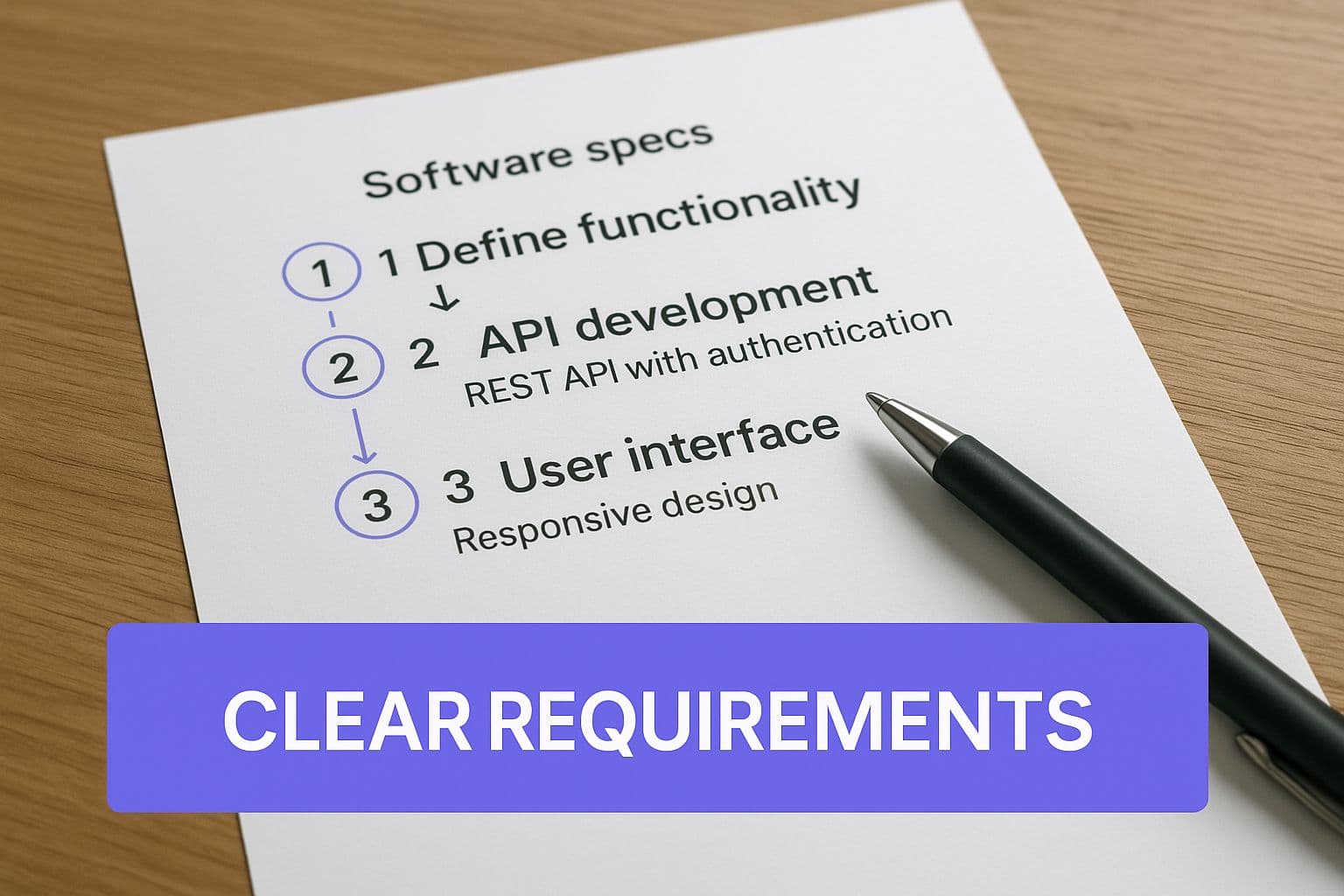
This visual really drives home the point that getting from a high-level goal to a build-ready feature requires specific, well-defined steps. It’s all about eliminating guesswork.
Start with User Stories
User stories are the foundation of modern requirements. They’re brilliant because they reframe a technical task as a user-centric goal, which keeps the entire team focused on delivering actual value.
The classic format is simple but incredibly powerful: "As a [type of user], I want to [perform some action], so that I can [achieve some goal]."
This structure forces you to answer three critical questions:
- The User: Who are we building this for? (e.g., an admin, a first-time visitor)
- The Action: What do they need to do? (e.g., log into their account)
- The Goal: Why do they need to do it? (e.g., to see their order history)
For instance, a vague request like "build a login page" becomes much clearer as a user story: "As a returning customer, I want to log into my account with my email and password so that I can view my past purchases." Right away, this provides context that guides both design and development.
Flesh Out Details with Use Cases
While a user story nails the "what" and "why," a use case digs into the "how." It describes the step-by-step interaction between the user (or "actor") and the system. I like to think of it as a mini-script that details the main "happy path" to success, along with any alternative routes or error conditions.
For our login user story, a simple use case might look like this:
- User navigates to the login page.
- User enters their email and password.
- User clicks the "Log In" button.
- System validates credentials.
- System redirects the user to their dashboard.
This detailed sequence helps developers map out the expected flow and gets testers thinking about what happens if a step fails. What if the password is wrong? What if the account is locked? Use cases force these crucial conversations early on, before a single line of code is written.
Define Success with Acceptance Criteria
Acceptance criteria are the final, critical piece of the puzzle. These are the specific, testable conditions a feature must meet to be considered "done." Written from the user's perspective, they leave zero room for interpretation and act as your quality control checklist.
Good acceptance criteria are binary—a feature either meets them, or it doesn't.
For the login feature, your acceptance criteria might include:
- Given I am on the login page, when I enter a valid email and password and click "Log In," then I am taken to my account dashboard.
- Given I am on the login page, when I enter an invalid password, then I see an error message that says, "Incorrect password. Please try again."
- Given I am on the login page, when I leave the email field blank and click "Log In," then the email field is highlighted in red.
With the global software workforce projected to grow from 26.9 million in 2023 to nearly 45 million by 2030, standardized structures like these are essential for coordinating large, diverse teams. These formats create a common language, and you can explore various software documentation templates to find a structure that fits your team and project perfectly.
From Vague Ideas to Actionable Requirements
Once you’ve gathered all those notes, interview transcripts, and user stories, the real work begins. This is where you translate a mountain of raw information into something a development team can actually build. Think of a great requirement as a bridge connecting what a stakeholder wants to what a developer does. Your goal is to kill ambiguity.
A stakeholder might say something like, "We need a more user-friendly dashboard." That sounds reasonable, but what does "user-friendly" actually mean? To one developer, it might mean a clean, minimalist design. To another, it could mean cramming in as many data visualizations as possible. Both could argue they met the request, and that's exactly how projects get delayed and go over budget.
The Anatomy of a Great Requirement
To sidestep that mess, every single requirement needs to be laser-focused. You have to move from fuzzy concepts to concrete actions and measurable outcomes.
For example, a request for "the system to be fast" is completely useless to an engineer. It’s not a target; it's a wish. A much stronger requirement would be: "95% of API requests must return a response in under 500 milliseconds." Now that is something a developer can build against and a QA engineer can test. It's specific, measurable, and clear.
It's also critical to avoid getting lost in technical jargon, especially when your requirements document will be seen by non-technical folks. Your engineering team gets what a database schema is, but the marketing lead doesn’t need to. Always frame requirements around user actions and business value.
Transforming Vague Requests into Actionable Requirements
So, how do you get there? The secret is to keep asking clarifying questions until a vague idea becomes a concrete instruction. When a stakeholder asks for something, your job is to dig in. Why do you need that? What problem does this solve for you? What does "done" look like?
This process transforms fuzzy feedback into precise, testable requirements that your team can confidently execute. Let’s look at a few before-and-after examples to see how this works in the real world.
Transforming Vague Requests into Actionable Requirements
| Vague Request | Actionable Requirement |
|---|---|
| "I want an easy way to export reports." | "The user shall be able to export the 'Monthly Sales Summary' report as a PDF by clicking an 'Export' button. The exported file must be named in the format 'SalesSummary_YYYY-MM.pdf'." |
| "Make the user profile more secure." | "The system shall enforce a password policy requiring a minimum of 12 characters, including at least one uppercase letter, one lowercase letter, one number, and one special character." |
| "Users should be able to find things." | "The system shall provide a search bar that returns relevant products within 2 seconds. Search results must include product name, image, and price, and can be filtered by category." |
Notice the difference? The actionable versions are crystal clear. They spell out the "what" and the "how," giving the team everything they need to build the right feature, the right way, on the first try. Mastering this skill will save you and your team countless hours of frustration and rework down the line.
Validating Requirements to Ensure Team Alignment
You’ve drafted a detailed set of software requirements, which is a massive step forward. But let's be honest, that's only half the battle. A requirements document is worthless if it just sits in a shared drive, unread and unapproved. Now for the real work: turning that document into a shared understanding across the entire team.
This is the validation phase, where you pressure-test your assumptions and get everyone on the same page before a single line of code gets written.

Think of this less as a sign-off and more as an active collaboration. It’s about getting stakeholders, developers, and QA engineers in a room to poke holes in the plan. The goal is simple but absolutely critical: confirm that the requirements are clear, technically feasible, and actually solve the business problem from everyone's point of view.
Running Effective Review Sessions
I’ve seen too many projects get derailed by endless feedback loops. The best way to avoid this is to structure your review meetings with a purpose. Don't just email the document and hope for the best—that’s a recipe for disaster.
Instead, schedule a dedicated session to walk through the key user stories and acceptance criteria together. This forces a real-time conversation. A developer might immediately spot a technical dependency you missed, or a QA engineer will point out an acceptance criterion that’s too vague to test properly. Getting that feedback live is infinitely more efficient than trying to decipher ten conflicting email threads a week later.
Gathering feedback is one thing; managing it is another. I recommend a simple, systematic approach:
- Log everything: Keep a running list of every comment, question, and suggested change.
- Prioritize ruthlessly: Not all feedback is created equal. You need to distinguish between critical fixes and "nice-to-have" suggestions.
- Close the loop: Circle back with everyone to communicate which changes were made and, just as importantly, provide a clear reason for any that weren't.
Achieving Sign-Off and Managing Change
Getting a formal sign-off is your green light. It creates a clear baseline for development to begin and signals that all key players agree on the scope. This single step is your best tool for preventing scope creep. When a new idea pops up later, you can clearly identify it as a change request, not a missed requirement.
Of course, change is a constant in software development. The trick is to have a process for it. Use version control for your requirements document, just like you would for source code. Label each version clearly (e.g., v1.0, v1.1) and maintain a change log. This log should detail what was altered, why it was necessary, and who gave the approval.
This kind of discipline is a cornerstone of modern development, and you can get up to speed on the key concepts with our guide to Agile software development terminology.
Common Questions We Hear About Writing Software Requirements
Even with a great process in place, a few common questions always seem to pop up when you get down to the nitty-gritty of writing software requirements. Let's tackle some of the ones I hear most often to clear up any confusion and keep your project on track.
Getting these details right can be the difference between a document that empowers your team and one that just creates more questions.
How Detailed Do My Requirements Really Need to Be?
This is the classic "it depends" question, but the answer really hinges on your development methodology. The best rule of thumb I've found is to provide just enough detail for a developer to build the feature and a tester to verify it—without anyone having to make a risky guess.
If you’re working in an Agile setup, user stories often start out pretty high-level. The finer details get ironed out in conversations right before a development sprint kicks off. This "just-in-time" approach is all about staying nimble and adapting as you go.
On the other hand, if you're using a more traditional Waterfall model, the game changes. Here, you're expected to nail down every last detail upfront. The goal is to create an exhaustive document covering all possible scenarios before a single line of code is written, minimizing changes down the road.
What's the Difference Between a Business Requirement and a Software Requirement?
This is a big one, and it trips up a lot of people. The easiest way to think about it is "why" versus "what."
A business requirement is the high-level goal—the "why." It's all about the value to the business. For instance, a business requirement might be to "increase customer retention by 15% in the next fiscal year."
A software requirement is the "what." It describes a specific piece of functionality the system needs to help achieve that business goal. To support our retention goal, a software requirement could be: "The system must have a tiered loyalty program where customers earn points on every purchase."
Who Is Actually Responsible for Writing These Things?
On paper, the job of writing requirements usually lands on the desk of a Business Analyst, Product Manager, or Product Owner. But in reality, it’s a team sport. The person in that role is more of a facilitator and final scribe.
The best, most robust requirements come from a mix of perspectives:
- Stakeholders bring the business context and define the problem we’re trying to solve.
- Developers provide a reality check on what’s technically feasible and flag potential roadblocks early.
- QA engineers jump in to make sure the requirements are specific, clear, and, most importantly, testable from day one.
When everyone contributes, you end up with a document that’s not just a wish list but a realistic, comprehensive plan that aligns the business vision with technical reality.
Ready to turn your idea into a functional product without the guesswork? At Iglu Digital, we specialize in building market-ready MVPs with the price fixed before we start. We'll help you define clear requirements and bring your vision to life. Learn more at https://iglu.dev.