How Much Does Building an App Cost in 2024?
Table of Contents
So, how much does it actually cost to build an app? The honest answer is: it varies wildly. You could be looking at anywhere from $40,000 for a simple application to well over $400,000 for a complex, enterprise-grade platform.
The final number on the invoice comes down to what you’re building, who’s building it, and how complicated it all is.
Your App Cost Questions Answered Fast
Figuring out an app's budget is a lot like pricing out a new home. A small, one-bedroom starter home won't cost the same as a sprawling custom-built mansion with a pool and home theater. They're both houses, but the scope, materials, and labor involved are worlds apart.
It's the same with apps. A basic Minimum Viable Product (MVP) lands in a completely different price bracket than a sophisticated, multi-platform app packed with custom features. Think of it as a spectrum, not a single price tag.
Getting a handle on this spectrum is the first real step toward building a budget that makes sense for your vision.
A Snapshot of App Development Costs
Let’s put some real numbers to this idea. To give you a clearer picture, it helps to group apps by their overall complexity. The more features and custom work you add, the more the cost and timeline expand.
To illustrate, let's look at some industry averages for 2025. A basic app with just the core, essential features will typically run you between $40,000 and $100,000. If you need something more advanced—say, with integrations for other services or a more polished user interface—you’re likely looking at a budget between $100,000 and $200,000.
For highly complex apps with a deep feature set, the price tag often climbs into the $200,000 to $400,000 range. And for large-scale, enterprise-level solutions? Those can easily push past the $400,000 mark. You can get more details by checking out these mobile app development cost insights.
Here's a table that breaks this down for a quick at-a-glance reference.
App Cost Estimates by Complexity Level
This table provides a quick summary of typical app development costs and timelines based on the application's complexity, helping you to quickly identify where your project might fall.
| App Complexity | Estimated Cost Range | Estimated Timeline |
|---|---|---|
| Simple | $40,000 – $100,000 | 2–4 Months |
| Medium | $100,000 – $200,000 | 4–9 Months |
| Complex | $200,000+ | 9+ Months |
Looking at these numbers, it’s easy to focus just on the upfront build. But that's only part of the financial picture.
Remember, the initial development cost is just the beginning. Ongoing expenses for things like maintenance, server hosting, updates, and marketing are crucial for keeping your app alive and growing after it launches.
It's a smart move to budget an additional 15-20% of the initial development cost per year to cover these ongoing needs. Planning for the entire lifecycle of the app, not just the launch, is what sets successful projects apart from the ones that fizzle out.
So, What Really Drives Your App’s Final Price Tag?
Knowing the average cost of an app is a good start, but it's just that—an average. To build a realistic budget, you need to get into the nitty-gritty of what actually drives that number up or down. I like to compare it to building a custom house. You can’t get a firm price until you've decided on the foundation, the number of rooms, and the quality of the kitchen countertops. It’s the exact same story with app development.
Every single decision, from the platforms you choose to how intricate each feature is, adds a line item to the project's blueprint. A simple user login is like adding a standard closet—it’s necessary but straightforward. On the other hand, integrating a complex, AI-powered recommendation engine is like building a state-of-the-art home theater. It demands specialized skills and a much bigger chunk of your budget.
This image breaks down the core components that all add up to the final cost.
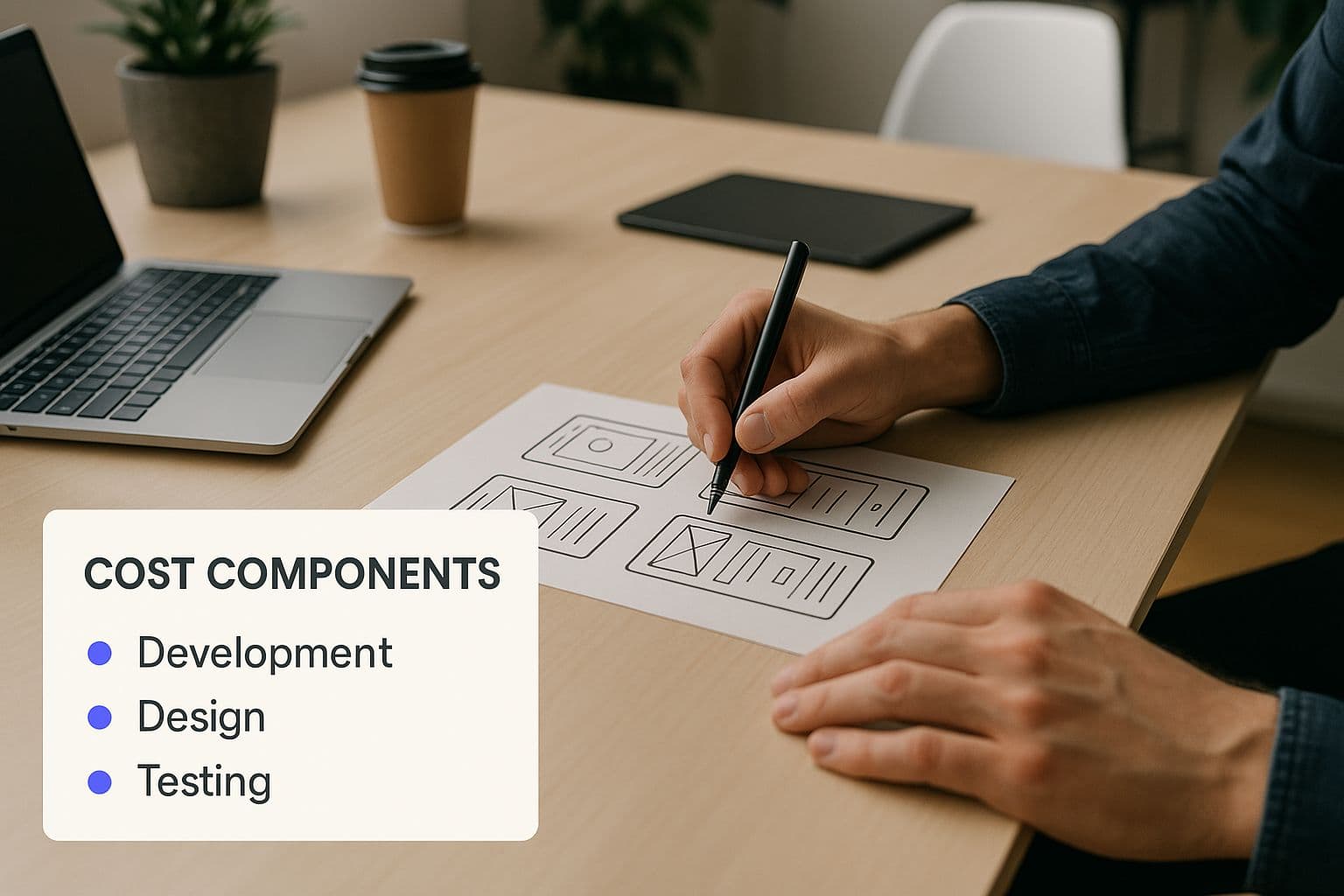
As you can see, it's never just one thing. Let's peel back the layers on these key cost drivers one by one.
H3: App Features and Their Complexity
If there’s one thing that moves the needle on cost more than anything else, it’s the scope and complexity of your features. This is where your development team will spend the majority of their time. Every feature you want—no matter how small—requires design, coding, and rigorous testing. And trust me, not all features are created equal.
A simple feature set might look something like this:
- User Profiles: Basic accounts where users can sign in and manage their info.
- Search Bar: A simple way to find content within the app.
- Push Notifications: Standard alerts to keep users coming back.
But the moment you add layers of complexity, the development hours (and the cost) start to multiply. A basic search bar is one thing, but what about a search that includes advanced filters, auto-suggestions, and saved search history? That’s a completely different ballgame. The same goes for things like real-time chat or payment gateway integrations, which demand serious backend engineering and robust security measures.
H3: UI/UX Design—The Look and Feel
Think of the user interface (UI) and user experience (UX) as the "interior design" of your app. It’s everything your users will see, touch, and feel. Going with a basic, template-driven design is the most affordable route. But if you're after a fully custom, beautifully branded design with unique animations and interactive elements, that’s going to require a larger design budget.
This is an area where spending a little more often pays off big time. A polished, intuitive design can make a world of difference in keeping users engaged and happy. The choice between a clean, minimalist look and a highly animated, visually rich experience directly affects the hours your designers and developers will pour into the project.
H3: Choosing Your Platform: iOS, Android, or Both?
Your app needs a foundation to run on, and the two main choices are Apple's iOS and Google's Android. The gold standard for performance and user experience is to build a "native" app for each platform. But this is also the most expensive option because you're essentially paying to develop two separate apps from the ground up.
The alternative is cross-platform development, where you build a single app that works on both iOS and Android. This approach can be much friendlier to your wallet since it relies on a shared codebase. The trade-off? You might run into performance issues or limitations, especially if your app needs to tap into specific device hardware. The right path really depends on your budget, your target audience, and the kind of performance your app demands.
Each of these elements is a lever you can pull to adjust your project's final cost. Understanding the complete process for developing an app helps clarify how these decisions fit into the bigger picture, from initial idea to final launch.
How Team Location Impacts Your Development Budget
You’ve heard the old real estate mantra: "location, location, location." Well, it’s just as true for building an app as it is for buying a house. Where your development team lives can be one of the single biggest factors determining your final bill.
Take the exact same project scope—same features, same complexity—and the price tag can swing wildly depending on whether your developers are in San Francisco, Eastern Europe, or Southeast Asia. It’s a huge variable, and understanding it is key to figuring out how much building your app is really going to cost.
This isn’t just about a race to the bottom for the cheapest price. It’s a strategic choice. You’re constantly balancing cost savings against very real-world factors like time zone headaches, communication styles, and cultural fit.
A Quick Global Tour of Developer Rates
At the heart of app development cost is the developer's hourly rate, and that rate is all over the map, literally. Hiring locally in a high-cost country gives you convenience, but you pay a premium for it. On the other hand, looking overseas can slash your labor costs, but might introduce a few logistical hurdles.
For example, mobile app development costs in the United States have jumped by about 15% in the last year alone. A fairly standard project can run anywhere from $12,000 to over $57,500, and more complex apps can easily blow past the $300,000 mark. These numbers directly reflect the high salaries top-tier developers command in the US market. You can dig deeper into US app development cost trends on aalpha.net to see how these figures break down.
So, let's put some numbers to this.
Average Developer Hourly Rates by Region
Here's a comparative look at the average hourly rates for mobile app developers around the world. As you'll see, the cost variations are significant.
| Region | Average Hourly Rate (USD) |
|---|---|
| North America (USA & Canada) | $100 – $170 |
| Western Europe (UK, Germany) | $70 – $120 |
| Eastern Europe (Poland, Ukraine) | $40 – $75 |
| Latin America (Brazil, Mexico) | $35 – $65 |
| Asia (India, Philippines) | $20 – $50 |
The numbers really do speak for themselves. A simple 100-hour development task could set you back $15,000 with a North American team or just $3,000 with a team in parts of Asia. It’s this massive gap that has so many startups and even established companies looking for global talent.
But—and this is a big but—the hourly rate is only one piece of the puzzle. The lowest rate doesn't automatically mean the lowest total cost or the best value. A highly skilled, efficient developer who costs more per hour might finish the job in half the time of a less experienced, cheaper one.
Beyond the Price Tag: The Pros and Cons
Choosing a development partner is about more than just multiplying hours by rates. Each region brings its own unique set of advantages and challenges that can make or break your project's timeline and quality.
Onshore (Your Home Country)
- Pros: You get seamless communication. Time zones match up, cultural nuances are understood, and feedback loops are incredibly fast. Project management is just plain easier.
- Cons: This is almost always the most expensive route. You're paying top dollar for that convenience.
Nearshore (Neighboring Countries)
- Pros: This is the middle ground. You get a good balance of cost savings and practicality. Time zones are usually only an hour or two off, and cultural gaps are often minimal.
- Cons: While it's certainly cheaper than hiring onshore, it's still pricier than going fully offshore to a region like Asia or Eastern Europe.
Offshore (Distant Countries)
- Pros: The potential for significant cost savings is the number one reason people go this route. You also get access to an enormous global talent pool.
- Cons: This is where the challenges can pop up. You might be dealing with a 12-hour time difference, language barriers, and different working styles. If you don't manage it carefully, you can lose all your cost savings to delays and miscommunication.
Ultimately, the right choice really hinges on your priorities. If your budget is the top concern and you have experience managing remote teams, offshoring can be a brilliant move. But if seamless collaboration and speed-to-market are what you need most, keeping the team closer to home might be worth every penny.
Budgeting for Life After Launch
Hitting launch day feels like crossing the finish line, but it’s really just the starting gun. Your initial development invoice gets the app built and into the world, but that’s only the first hurdle. The real challenge is keeping it running, secure, and valuable to your users long-term.
Forgetting to budget for what comes after launch is one of the most common and expensive mistakes I see entrepreneurs make. An app isn't a one-and-done product; it's a living, breathing piece of software that demands constant attention. Without a dedicated post-launch budget, even a brilliant app can become buggy, outdated, or insecure, quickly wasting your entire initial investment.
The Unseen Costs of App Ownership
Think of your app like a new car. The sticker price is your development cost. But you still have to pay for fuel, insurance, and regular maintenance to keep it on the road. For an app, these recurring costs show up in a few key places.
First up is your server and hosting infrastructure. All your app’s data—user profiles, content, everything—has to live somewhere. Services like Amazon Web Services (AWS) or Google Cloud provide the servers and databases you need, but their costs grow right alongside your user base. An app with a few hundred users might barely cost anything to host, but an app with tens of thousands of active users needs a much beefier, and more expensive, setup.
A good rule of thumb is to budget 15-20% of your initial development cost every single year just for maintenance. This isn't an optional add-on; it's an essential investment to fix bugs, keep things secure, and make sure your app doesn't break with the latest OS updates.
On top of that, most apps plug into other services to get their work done. These often include:
- Payment gateways like Stripe, which take a small cut of every transaction.
- Mapping services like Google Maps Platform, which typically charge based on how many times your app uses their maps.
- Push notification services and analytics platforms that come with monthly or annual subscription fees.
Each of these adds another recurring line item to your budget that you have to plan for.
The Engine of Growth: Marketing and User Acquisition
What good is a perfect app if no one knows it exists? That’s why a huge chunk of your post-launch budget has to go toward marketing and user acquisition. The question "how much does building an app cost?" should always be followed by, "and how much will it cost to get people to actually use it?"
This part of your budget fuels all the activities that drive growth—digital ad campaigns, content marketing, social media, and PR. These aren't one-time expenses. They are ongoing efforts to attract new users and keep the ones you have coming back. Without a sustained marketing push, your app will just get lost in the noise of the app stores.
Planning for the Future: App Maintenance and Updates
Finally, technology doesn't sit still. Apple and Google roll out major operating system updates every year, and these can easily break parts of your app. Your budget needs to cover regular maintenance work to ensure compatibility, patch security holes, and fix the bugs your users will inevitably find.
This ongoing development is what keeps your user experience positive and prevents your app from becoming a digital fossil. To make sure you’re spending your maintenance budget wisely, it’s crucial to learn how to create a product roadmap. This strategic plan will guide your post-launch development, ensuring every update adds real value and keeps your users happy for years to come.
Smart Strategies to Lower Your App Development Cost
Building a great app doesn't mean you have to break the bank. While the final price tag can seem intimidating, there are plenty of smart, practical ways to keep your budget under control. The secret isn't about cutting corners; it's about being strategic and adopting a phased approach to get your product in front of real users sooner.
The whole game is about focusing on what truly matters right now. Instead of trying to build every feature you’ve ever dreamed of from the get-go, zero in on the core functionality that solves your user's biggest headache. This shift in thinking is the bedrock of cost-effective development, letting you prove your concept before you sink a fortune into a massive, complex build.
Start with a Minimum Viable Product
Without a doubt, the most powerful way to manage app development costs is by launching a Minimum Viable Product (MVP). Don’t think of an MVP as a cheap or incomplete app. It's a highly strategic first version that includes only the essential features needed to solve a specific problem for your first group of users.
This method lets you test your core business idea with the lowest possible financial risk. You get to find out if there's real demand for your solution before spending a ton of money on bells and whistles. We break this down further in our guide on the benefits of a Minimum Viable Product, which shows how it saves cash and accelerates learning.
The goal of an MVP is to maximize learning while minimizing development hours. It’s about building just enough to create value for early adopters and gather crucial feedback for future iterations.
Choose Cross-Platform Development
If you need to reach users on both iOS and Android but don't want to pay for two separate apps, cross-platform development is your best friend. Instead of building two distinct native apps from scratch, developers use a single codebase with frameworks like React Native or Flutter to run the app on both operating systems.
Sure, native apps might squeeze out a tiny bit more performance for really intense applications (like high-end games), but for the vast majority of business and consumer apps, the cross-platform approach is more than enough. This single move can drastically cut down development hours, which translates directly into major cost savings.
Adopt an Agile Methodology
Using an agile development methodology is another great way to keep your budget on a leash. This approach breaks the entire project down into small, focused work cycles known as "sprints." It's an iterative process that gives you constant checkpoints to review what's been built, rethink priorities, and make adjustments based on what you're learning.
This built-in flexibility is the ultimate defense against "scope creep"—that all-too-common problem where a project’s requirements expand endlessly. By always working on the highest-priority features first, you ensure every dollar spent adds immediate, tangible value to your app.
Here are a few more actionable tips to keep costs down:
- Use Pre-Built Components: Why reinvent the wheel? Your developers can save hundreds of hours by using existing templates, open-source libraries, and third-party APIs for common features like payment gateways or in-app chat.
- Keep Designs Simple: A flashy, animation-heavy user interface is expensive to design, build, and maintain. Start with a clean, simple, and intuitive design that prioritizes usability. You can always add more visual flair later once your app starts gaining traction.
- Prioritize Ruthlessly: Get into the habit of constantly asking, "Is this a must-have or a nice-to-have?" Pushing non-essential features to a future version is one of the easiest ways to slash your initial development cost and get to market much faster.
How to Get a Quote That Isn't a Wild Guess
Ever walked into a meeting with a vague idea and gotten a vague, unhelpful price? It’s a common story. Saying "I want to build an app like Uber" is like telling a contractor you want "a house." It leaves a thousand questions unanswered, forcing developers to either pad their estimate to cover unknown risks or give you a lowball number that's bound to explode later.
To get a reliable quote you can actually bank on, you need to do some thinking upfront. The goal is simple: hand potential development partners a clear, detailed project brief that anticipates their most important questions. This single step is the best way to get proposals that are consistent, comparable, and grounded in reality.
Think of it this way: you’re creating the blueprint for your app. The more detailed your blueprint, the more accurately a team can estimate the time and materials needed to bring it to life.
Map Out Your Core Features and User Flow
Before anything else, you have to decide what your app will actually do. Start by making a list of the absolute must-have features—the things your app can't function without. This is your Minimum Viable Product (MVP), the core of your idea.
Then, think about the user’s journey. How will someone get from point A to point B in your app? Sketch out the fundamental steps.
- Step 1: User signs up or logs in.
- Step 2: They land on a home screen and browse items.
- Step 3: They add an item to their cart.
- Step 4: They move to checkout and complete the purchase.
Even a simple exercise like this forces you to consider the user’s path, which is exactly what a development team needs to understand the project’s logic.
Sketch Out Simple Wireframes to Show, Not Just Tell
You don't have to be a designer. A wireframe is just a rough sketch of your app's screens, like a storyboard for your idea. You can literally draw them on a napkin or use incredibly intuitive tools like Figma or Balsamiq to create simple digital mockups.
Your wireframes don’t need to be pretty. They just need to be clear. The entire point is to show the layout of each screen, where the buttons live, and how a user gets from one view to the next.
This visual guide is a game-changer. It cuts through ambiguity and gives developers a solid reference, making their job of estimating the required work infinitely easier.
Be Clear About Your Target Platforms
Make sure you state exactly where this app will live. Are you aiming for iOS only, Android only, or both? Do you also need a web-based version? What about a backend admin panel for you to manage users and content?
Every platform and component adds to the project's scope and, naturally, its cost. Being crystal clear about this from day one ensures the quote you get covers the whole picture, saving you from nasty surprises down the line.
Key Questions to Ask Any Potential Partner
Once your brief is ready, you can start talking to development agencies or freelancers. To make an apples-to-apples comparison, you need to ask everyone the same core questions.
- Can you walk me through your development process? (Do they work in sprints? How often will we communicate?)
- Who will be my dedicated point of contact?
- How do you handle scope changes or new ideas mid-project?
- What, specifically, is included in this quote? (Does it cover design, coding, quality assurance, and deployment?)
- What should I expect for ongoing maintenance costs after the app launches?
Asking these questions helps you see past the price tag. You're not just buying code; you're choosing a partner who can help you navigate the entire process and reach your goals.
Common Questions About App Development Costs
Even when you've got a handle on the moving parts, a few specific questions always seem to come up when you start talking real numbers for an app budget. Getting clear, no-nonsense answers to these is the key to building a financial plan that won’t fall apart later.
Let's dig into some of the most common questions we hear from founders trying to map out their investment. These usually circle around timelines, tech choices, and the long-term costs of keeping an app alive and well.
How Long Does It Typically Take to Build an App?
Just like the cost, the timeline really boils down to complexity. You can get a lean Minimum Viable Product (MVP) with just the core, must-have features designed, built, and launched in as little as 3 to 4 months. This is the perfect approach if you need to test your idea in the real world without breaking the bank.
But what about something more substantial? For an app with more common features—think social media logins, user profiles, or connecting to other services—you're looking at a 5 to 9-month window. If your vision involves advanced technology like AI, complex custom animations, or a heavy-duty backend system, it's wise to plan for 9 to 12 months, and sometimes even longer.
Is It Cheaper to Build a Hybrid App Than a Native App?
In a word, yes. Going with a hybrid or cross-platform framework is one of the most reliable ways to cut down your initial development bill. The logic is simple: your team writes the code once, and it runs on both iOS and Android. This can slash development hours significantly.
Of course, there's a trade-off. Native apps, which are built from the ground up for a single operating system, almost always perform better. They're faster, smoother, and just feel right to the user. For anything that needs raw power, like a graphics-heavy game or an app that relies heavily on the phone's camera or GPS, going native is usually the only way to go.
What exactly is app maintenance? Think of it as the ongoing work needed to keep your app healthy after launch. It’s not an optional add-on; it's a critical investment in your app’s future. This is what keeps it secure, working properly, and competitive long after day one.
Why Is App Maintenance So Important and What Does It Cost?
Skipping maintenance is like buying a new car and never changing the oil. It's how you protect your initial investment. This covers all the essential work, like squashing bugs that pop up after launch, updating the app to work with the latest iOS and Android versions, and patching security holes before they become a problem.
A solid rule of thumb is to budget 15-20% of your initial development cost, per year, for maintenance. It might feel like a big number, but this is what ensures your app stays reliable and keeps users happy for years to come.
Ready to turn your app idea into a reality without the guesswork? Iglu starts every project with a paid scoping week that turns your idea into a written spec and a fixed price for the build. We help you validate your vision and get to market faster. Start building with us today.