

A Guide to Agile Development Terminology
Table of Contents
Agile development has its own language. It's a collection of terms that describe roles, ceremonies, and the way work gets done. If you're new to it, hearing words like Sprints, User Stories, and Backlogs can feel like you've walked into a foreign country. But getting a handle on this vocabulary is the first step to making any agile framework actually work for your team.
Your Guide to Essential Agile Terminology
To really succeed with agile, everyone needs to be on the same page. A shared vocabulary isn't just nice to have; it's essential. Without it, you get confusion, wasted effort, and mismatched expectations. Think about it: if a stakeholder and a developer have two completely different ideas of what "Done" means, you’re heading for trouble.
Mastering agile development terminology gets everyone speaking the same language. This guide is here to break down the jargon and give you a practical reference you can actually use. We'll start with the basics to get you up to speed quickly.
Core Agile Terms at a Glance
Before we dive deeper, this table covers the most fundamental terms you'll hear in any agile conversation. Think of it as your cheat sheet for building a solid foundation.
| Term | Brief Definition | Associated Framework(s) |
|---|---|---|
| Sprint | A short, fixed-length period (usually 1-4 weeks) where the team works to complete a set amount of work. | Scrum |
| Backlog | The master to-do list for the entire product. It's a prioritized list of features, fixes, and other work items. | Scrum, Kanban |
| User Story | A simple, informal explanation of a feature written from the end-user's perspective. It tells you who wants what, and why. | General Agile, Scrum, XP |
| Scrum Master | The team's facilitator and coach. Their job is to help everyone follow agile practices and remove any roadblocks. | Scrum |
| Kanban Board | A visual workflow tool that shows tasks moving through stages like "To Do," "In Progress," and "Done." | Kanban, Scrumban |
This table is your starting point. Once you're comfortable with these core concepts, you'll find it much easier to understand the bigger picture of agile development.
That sentiment gets to the heart of why clear definitions and solid processes matter so much. Good terminology supports good practices, especially when it comes to documenting your work. For anyone looking to improve how they organize project information, our guide on software documentation templates offers some great, practical starting points.
The Thinking Behind Agile: Core Concepts and Principles
Before diving into the specific jargon of agile development, it’s essential to get a handle on the mindset behind it all. Agile isn't just a set of instructions; it's a whole philosophy. These core ideas give context to practices like Sprints and daily stand-ups, explaining the "why" that makes them so effective.
At its core, agile is all about being flexible, working together, and getting value into users' hands as fast as possible. The famous Agile Manifesto, written back in 2001, laid this all out with four key values:
- Individuals and interactions over processes and tools
- Working software over comprehensive documentation
- Customer collaboration over contract negotiation
- Responding to change over following a plan
This doesn’t mean things like documentation are useless. It simply means that agile methods prioritize the people doing the work and the product they're building.
The Pillars of the Agile Mindset
Beyond those four values, a few key concepts really prop up every agile framework. Once you get these, the specific terms used in Scrum or Kanban make a lot more sense.
A huge one is iterative development. Instead of trying to build the entire product in one massive, long-term project, agile teams work in short, repeatable cycles. Each cycle, or iteration, results in a small but functional piece of the product, which gives the team a chance to learn and adjust as they go.
This flows right into the idea of incremental delivery. At the end of each iteration, the team delivers a real, tangible "increment" of value to the customer. This ensures the product grows based on actual user feedback, not on assumptions made months ago. Nailing down what that value looks like is a skill in itself; for a deeper dive, check out our guide on how to write software requirements.
Another cornerstone is continuous improvement, which you'll often hear called Kaizen. Agile teams are always looking for small, consistent ways to get better by reflecting on how they work. This is exactly what events like the Sprint Retrospective in Scrum are designed for.
Finally, agile is built on empirical process control. This is a fancy way of saying that instead of trying to map out a perfect plan from the start, teams make decisions based on what they can see and prove. The process is kept transparent, checked frequently, and adapted when needed. This approach is what allows teams to handle the unpredictable nature of software development and build something people actually need.
A Deep Dive into Scrum Terminology
When you hear people talking about "agile," there's a good chance they're actually talking about Scrum. It's the most popular agile framework for a reason. It gives teams a practical structure of roles, events, and artifacts to bring agile principles to life. To really get by on a modern software team, you have to speak this language.
The data backs this up. A 2024 analysis showed that 66% of teams stick to Scrum by the book, while a massive 81% use some variation of it, like Scrumban. The bigger picture shows just how fast agile itself has taken over, jumping from 37% adoption in 2020 to 86% in 2021. If you're curious about these numbers, you can dig into the full agile statistics report.
The Three Core Scrum Roles
Every Scrum Team is built around three specific roles. Each one has a distinct job to do, and they all have to work together for the team to succeed.
- Product Owner (PO): Think of the PO as the champion for the customer and business stakeholders. Their one job is to own and manage the Product Backlog, making sure the team is always focused on building the most valuable thing next. It's all about maximizing the product's return on investment (ROI).
- Scrum Master: This is the role people get wrong the most. A Scrum Master isn't a project manager; they're a servant-leader. Their focus is on making the Scrum process run smoothly, knocking down any roadblocks the team hits, and coaching everyone on how to work better within the framework.
- The Development Team: These are the people who actually build the product—the engineers, designers, QA specialists, you name it. They're a cross-functional and self-organizing group, which means they have the autonomy to decide how they'll get the work done, without someone outside the team dictating their tasks.
Scrum Events: The Cadence of Work
Scrum creates a steady rhythm through a series of prescribed events, often called ceremonies. This regular cadence is all about creating opportunities to inspect the work and adapt the plan.
The Sprint The Sprint is the very heartbeat of Scrum. It's a fixed-length period of time, usually between one and four weeks, where the team works to create a "Done," usable, and potentially shippable piece of the product. As soon as one Sprint ends, the next one begins.
Sprint Planning This is where a new Sprint officially kicks off. The entire Scrum Team gets together to figure out what they can deliver in the upcoming Sprint and make a plan for how they'll do it. The meeting produces two key outcomes: the Sprint Goal and the Sprint Backlog.
Daily Scrum You might know this one as the daily stand-up. It’s a very quick, 15-minute meeting just for the Development Team. The goal is to sync up on progress and map out a plan for the next 24 hours. This is not a status update for managers; it's a planning session for the people doing the work.
Sprint Review At the end of every Sprint, the team holds a Sprint Review. It’s an informal session where they show what they built to stakeholders and get direct feedback. This is the moment to inspect the actual product Increment and make adjustments to the Product Backlog based on what everyone learns.
Sprint Retrospective The Retrospective is the last thing that happens in a Sprint. It's the team's chance to look inward and ask, "How can we do better?" They reflect on their process and create a concrete plan for improvements to try in the very next Sprint.
Scrum Artifacts: The Tools of Transparency
In Scrum, artifacts are tools that make work and value visible. They provide crucial transparency, giving everyone the information they need to inspect progress and adapt effectively.
- Product Backlog: This is the master list for everything the product needs. It’s a single, ordered list of features, fixes, and improvements that is constantly evolving as the team and stakeholders learn more.
- Sprint Backlog: This is the Development Team's plan for the Sprint. It contains the Product Backlog items they've selected to work on, plus their plan for how to turn those items into a finished Increment.
- Increment: An Increment is the sum of all the Product Backlog items completed during a Sprint, plus the value from all previous Sprints. Critically, each Increment must be in a usable, "Done" state, even if the Product Owner decides not to release it to customers just yet.
A Guide to Kanban and Lean Terminology
While many teams start their agile journey with Scrum, Kanban offers a different path, one that’s rooted in the principles of Lean manufacturing. It’s a flow-based method that focuses on visualizing your current work, limiting how much you’re juggling at once, and creating a smooth, efficient delivery process. If your team is looking for a more flexible agile approach, getting a handle on Kanban's vocabulary is the first step.
The beauty of Kanban is that it's not about imposing rigid roles or ceremonies. Instead, it's about making your existing process better. This philosophy is guided by four foundational principles that everything else is built upon.
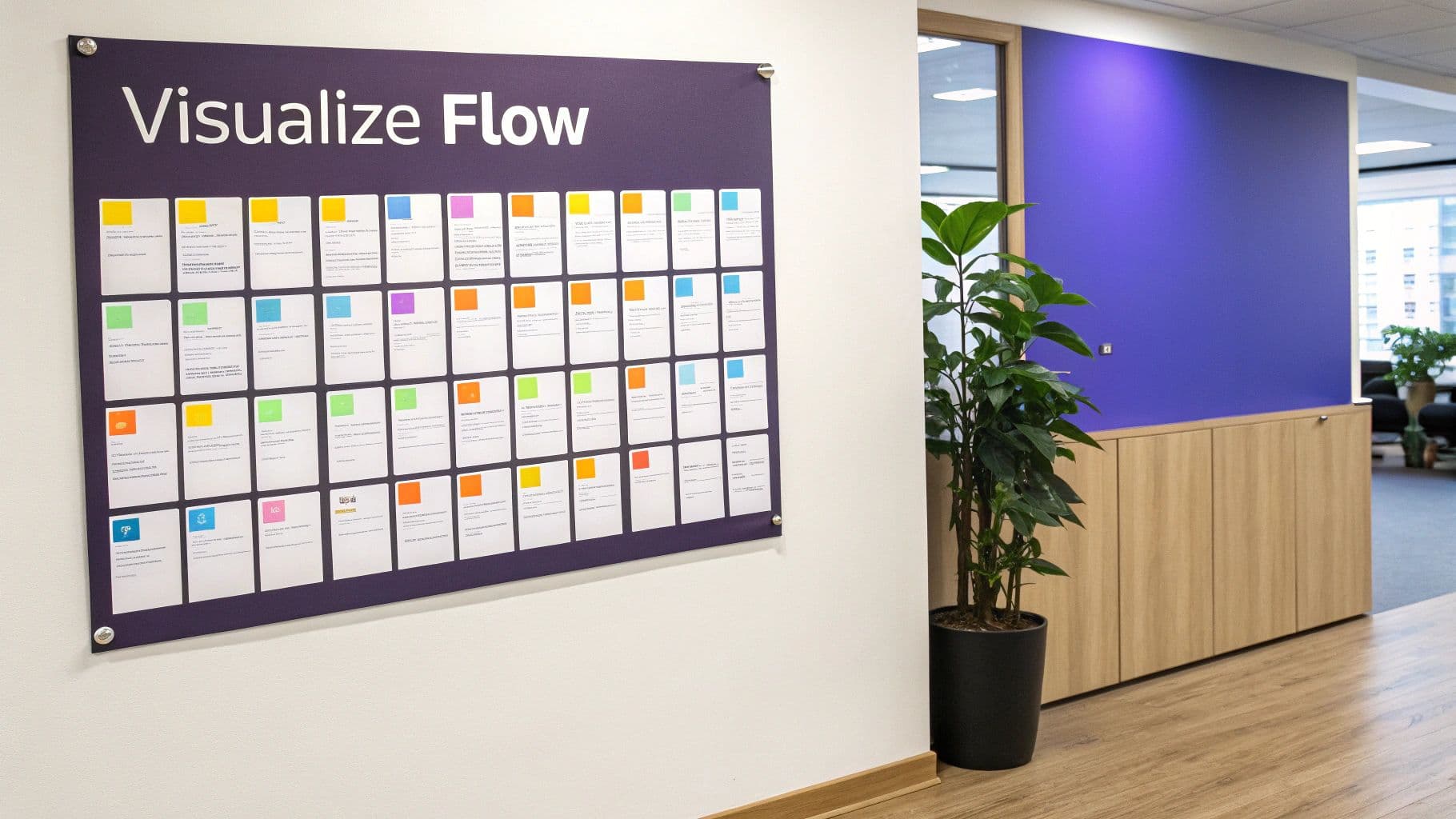
- Visualize the Workflow: Get everything out in the open. You need to see every work item and every step it takes to get from "request" to "delivered." This creates a shared, transparent view of how work actually gets done.
- Limit Work in Progress (WIP): This is a game-changer. By setting hard limits on how many tasks can be in any single stage of the process, teams are forced to focus on finishing things instead of constantly starting new ones.
- Manage Flow: The whole point is to optimize how work moves through your system. It's about spotting and clearing roadblocks, monitoring key metrics, and keeping things moving smoothly.
- Make Policies Explicit: Don't leave things to chance. Clearly define the rules of the road—like what "Done" truly means or how the team decides what to work on next.
The Tools and Metrics of Kanban
To bring those principles to life, Kanban uses a few essential tools and measurements. These are the terms you'll hear every day when discussing agile development terminology in a Kanban context.
Kanban Board The Kanban Board is the heart of the system and its most recognizable feature. It’s a visual representation of your workflow, broken down into columns that show each stage of the process (think: To Do, In Progress, Review, Done). Work items, shown as Cards, travel from left to right across the board as they move toward completion.
WIP Limits These are the rules that prevent chaos. WIP limits are simply constraints on how many cards can be in a column at any given time. For instance, if the "In Progress" column has a WIP limit of 3, the team can't start a fourth task until one of the current three is moved to the next column. This simple constraint is incredibly effective at stopping multitasking and building a culture of "finish what you start."
Understanding Flow with Lean Metrics
Because Kanban is all about flow, the metrics are designed to measure the speed and predictability of your delivery process. Most of these terms come straight from Lean thinking.
- Lead Time: This is the big picture metric. It tracks the total time a customer waits, from the moment they make a request to the moment it's delivered. It’s a direct measure of the customer experience.
- Cycle Time: A subset of lead time, this measures how long it takes your team to complete a task from the moment they actively start working on it. It reflects your internal process speed.
- Pull System: This is a fundamental shift from how many teams operate. Instead of work being "pushed" onto them, a pull system means the team only pulls in new work when they have the capacity, as dictated by their WIP limits. This creates a steady, sustainable pace.
Finally, you can't talk about Lean without mentioning Waste (Muda). This is a core concept that refers to anything in your process that doesn't add value for the customer—think unnecessary meetings, waiting for approvals, or fixing bugs. The goal in Kanban is to constantly hunt down and eliminate this waste, making your entire system more efficient and effective.
A Glossary of Agile Planning and Technical Terms
Beyond the big frameworks like Scrum or Kanban, there’s a whole world of jargon that teams use for planning, estimating, and actually building the product. Knowing this agile development terminology is what really connects a great idea to a finished piece of software. It’s the language we use to structure work, figure out how much effort something will take, and build quality in from day one.
This glossary will walk you through the terms that take an idea from a big-picture concept all the way down to a specific task for a developer. We’ll also cover the engineering practices that make agile’s promise of speed and quality a reality.
The Hierarchy of Agile Work Items
In agile, work isn't just a long to-do list; it’s organized into a clear hierarchy. This structure is incredibly helpful because it connects the team's day-to-day tasks back to the larger business goals, making sure every little bit of effort pushes a major strategic objective forward.
- Theme: Think of a Theme as the highest-level strategic goal. It’s a major business focus that groups related Epics together, like "Improve User Onboarding" or "Launch Mobile-First Experience."
- Epic: An Epic is a large chunk of work that's too big to finish in one sprint. It describes a major feature at a high level, such as "Implement User Profile Management," and needs to be broken down into smaller stories.
- User Story: This is the bread and butter of agile work. A User Story captures a feature from the perspective of the end-user. It usually follows a simple template: "As a [type of user], I want [some goal] so that [some reason]."
- Task: This is where the rubber meets the road. Tasks are the small, concrete actions the development team takes to complete a User Story, like "Design the database schema" or "Create the login button component."
Key Terms for Agile Planning and Estimation
Planning is a huge part of agile, but it’s a world away from traditional project management. Forget rigid, long-term Gantt charts. Agile teams rely on flexible tools and relative estimation to forecast work and pivot when things change.
Product Roadmap A Product Roadmap is a high-level, visual plan that shows where a product is heading. It’s less about dates and more about communicating the "why" behind the work, getting all stakeholders on the same page by linking upcoming features to the company's strategic themes.
Velocity Velocity is a simple but powerful metric that shows how much work a team typically gets done in a sprint. It’s calculated by averaging the Story Points completed over the last few sprints. This isn't about speed; it's about predictability, helping the team make more realistic forecasts.
Story Points Story Points are a unit of measure for estimating the total effort needed for a user story. It's a relative value, not tied to hours or days. Instead, it captures a mix of complexity, risk, and the sheer volume of work involved. We cover this in much more detail in our guide on Story Points estimation.
Planning Poker Planning Poker is a fun, collaborative way to estimate work. Team members use cards to vote on the story points for a user story. If there are big disagreements, it sparks a conversation that helps uncover hidden assumptions and leads to a much more accurate, consensus-driven estimate.
Essential Technical and Engineering Terminology
Agile isn't just a set of project management rituals; it's deeply rooted in solid engineering practices. These are the core disciplines that allow teams to deliver high-quality, working software consistently.
- Test-Driven Development (TDD): A practice where developers write an automated test before writing the actual code. The process is simple: write a test that fails, write just enough code to make it pass, and then clean up the code (refactor). This builds a safety net of tests right into the codebase.
- Continuous Integration (CI): The habit of merging all developers' code into a central repository frequently—sometimes multiple times a day. Every time code is merged, an automated build and test run kicks off, catching integration bugs almost immediately.
- Continuous Delivery (CD): This takes CI a step further. With CD, every code change that passes the automated tests is automatically prepared for a release to production. It means you can get new features and fixes to your customers quickly and reliably whenever you want.
- Refactoring: The disciplined act of cleaning up existing code without changing what it does. Regular refactoring is like tidying up your workshop; it keeps the code easy to understand and makes future changes much less painful.
- Technical Debt: This is the silent killer of many projects. Technical Debt is the future cost of taking a shortcut today. Choosing an easy, quick fix instead of the right one feels good now, but it creates rework down the line. Like real debt, it accrues "interest," making the codebase harder and harder to work with over time.
Understanding Scaled Agile Framework Terminology
So, your single agile team is crushing it. What happens next? Often, the business wants to see that same success multiplied across dozens, maybe even hundreds, of teams. But scaling agile isn't as simple as copy-pasting what worked for one team. This is where things get more complex, and a whole new set of agile development terms comes into play to keep everyone coordinated at the enterprise level.
Frameworks like the Scaled Agile Framework (SAFe), Large-Scale Scrum (LeSS), and Nexus exist to provide a structure for all these teams to work together effectively. While they each have their own flavor, the core goal is the same: get everyone aligned on a shared mission, untangle dependencies between teams, and deliver a single, integrated solution.
A good way to visualize this is by seeing how big ideas get broken down into manageable chunks.
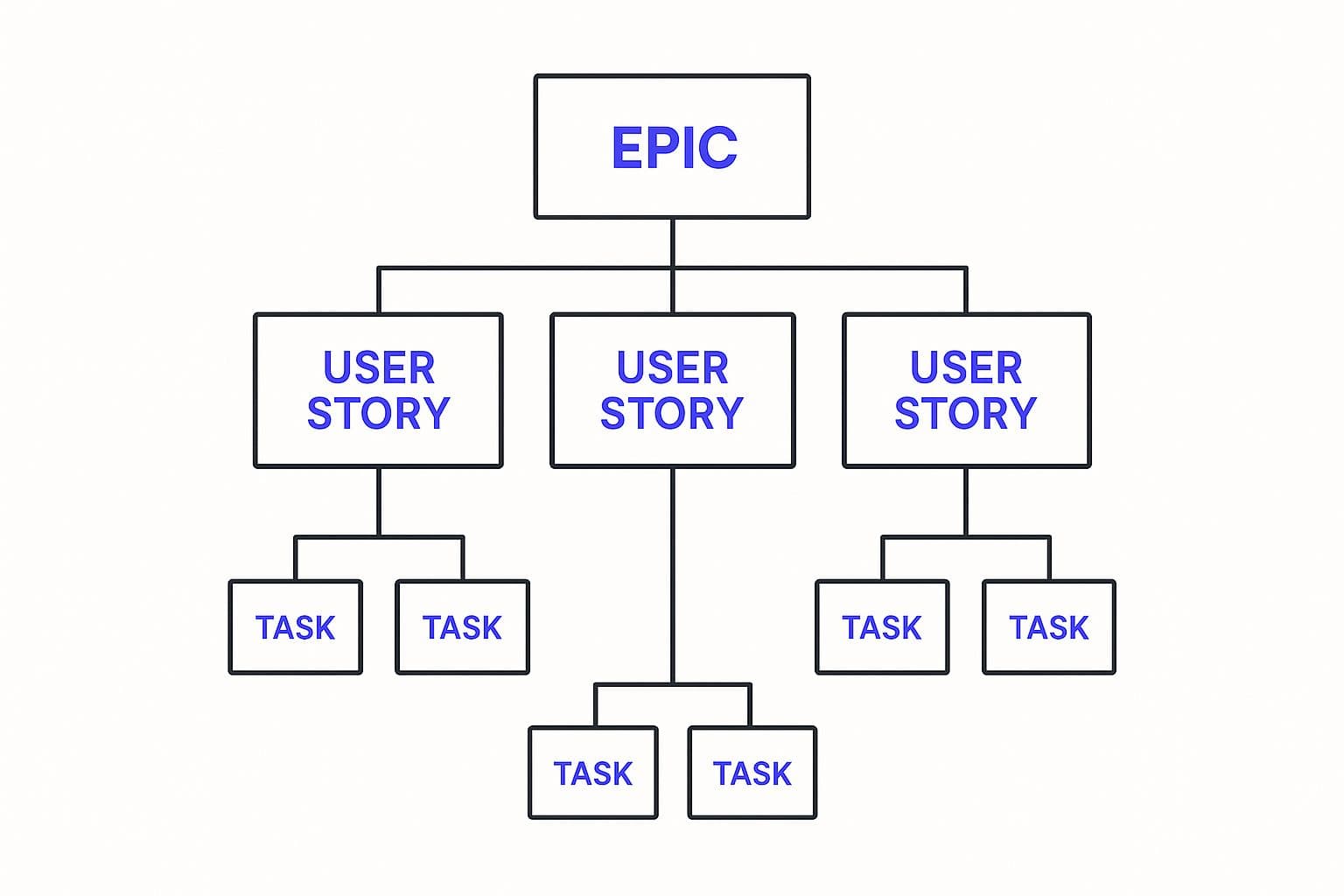
This hierarchy is brilliant because it draws a clear line from the high-level business goals (the Epics) all the way down to the specific, actionable work a developer picks up on a Tuesday morning (the Tasks). It’s all about maintaining that strategic alignment.
Key Terms in Scaled Agile
When you step into these larger frameworks, you'll hear a few terms thrown around constantly. They're the building blocks for cross-team collaboration and planning, and if you're a manager, executive, or team member in a large organization, you'll need to know them.
- Agile Release Train (ART): This is a core idea in SAFe. Think of an ART not as a temporary project group, but as a long-term, self-organizing "team of teams." It’s a group of 50 to 125 people who plan, commit, and build together to continuously deliver value.
- Program Increment (PI) Planning: This is the big event in the SAFe world. It's an intense, usually two-day, face-to-face planning session where every single person on the ART gets together. They align on the vision, map out their work for the next 8-12 weeks (the "Program Increment"), and, most importantly, identify and solve for cross-team dependencies right then and there.
- Scrum of Scrums: This isn't exclusive to one framework but is a common technique for coordinating multiple Scrum teams. Essentially, a representative from each team meets regularly—sometimes daily—to sync up. They talk through progress, flag blockers, and make sure their work is integrating smoothly. It's the Daily Scrum, but for the entire group of teams.
And agile isn't just for software anymore. Not by a long shot. A recent report revealed that Engineering and R&D are now the fastest-growing adopters, making up 48% of new agile users in 2024. Even business operations and marketing teams are getting in on it, with adoption rates of 28% and 20%, respectively. It’s clear that agile’s value is being recognized across the entire enterprise. You can find more data on the versatility of agile adoption.
Getting a handle on this scaled agile development terminology is no longer optional. It’s a must for anyone in a company that's using these methods to stay competitive and responsive.
Common Questions About Agile Lingo
As you dive deeper into agile development, you'll find that some questions come up again and again. These aren't just beginner queries; they often touch on subtle distinctions that even seasoned teams grapple with. Let's clear up some of the most frequent points of confusion.
Think of this as your go-to FAQ for applying agile terms in the real world. Nailing these definitions is key because clear communication is the bedrock of any successful agile team.
What Is the Difference Between Agile and Scrum?
This is easily the most common question, and it's a great one. Agile is the overarching philosophy—a mindset built on the values and principles of the Agile Manifesto. It’s all about being adaptive, collaborating closely with customers, and delivering value in small, frequent increments.
Scrum, on the other hand, is a specific framework for putting that agile mindset into action. It gives you a concrete structure with defined roles (like a Product Owner and Scrum Master), events (like Sprints and Daily Scrums), and artifacts (like a Product Backlog). Simply put, Agile is the philosophy; Scrum is one popular way to live it.
Are Story Points and Hours the Same Thing?
Not at all, and mixing them up is a classic recipe for planning headaches. Hours are an absolute measure of time. If you estimate something will take eight hours, you're saying it will consume one full workday, plain and simple.
Story Points, however, are a relative unit of effort. They abstractly capture a combination of three key factors:
- Complexity: How hard is this to figure out and build?
- Uncertainty: How many unknowns or risks are we dealing with here?
- Volume: Just how much stuff is there to do?
Teams use Story Points to gauge the size of one task relative to another. For example, they might say, "This user story feels about twice as big as that last one." This helps in forecasting how much work a team can realistically pull into a Sprint (their Velocity) without getting bogged down by the false precision of time-based guessing.
Can You Use Kanban and Scrum Together?
Absolutely, and many teams do. This hybrid model is often called "Scrumban," and it blends the structure of Scrum with the visual, flow-based nature of Kanban.
A team might, for instance, keep their two-week Sprints, Sprint Planning, and Retrospectives from Scrum. But within that Sprint, they use a Kanban board with strict Work in Progress (WIP) limits to manage their workflow. This gives them the predictable rhythm of Scrum while leveraging Kanban’s power to expose bottlenecks and smooth out their delivery process. It’s a fantastic way to tailor the agile toolkit to what your team actually needs.
Ready to turn your idea into a market-ready product without getting lost in the jargon? At Iglu Digital, we specialize in building functional MVPs for a price agreed before a line of code is written, helping you go from concept to launch with speed and clarity. Learn more about our rapid development process.